In this task, just like in the previous Operation Oni, we need to analyze disk.flag.img and find the files related to the flag there.
Autopsy
We will use Autopsy for analysis. Instructions for creating a project and uploading the file under investigation can be found in the write-up Operation Oni.
In the /root directory, we find three files that provide us with information about actions on the flag:
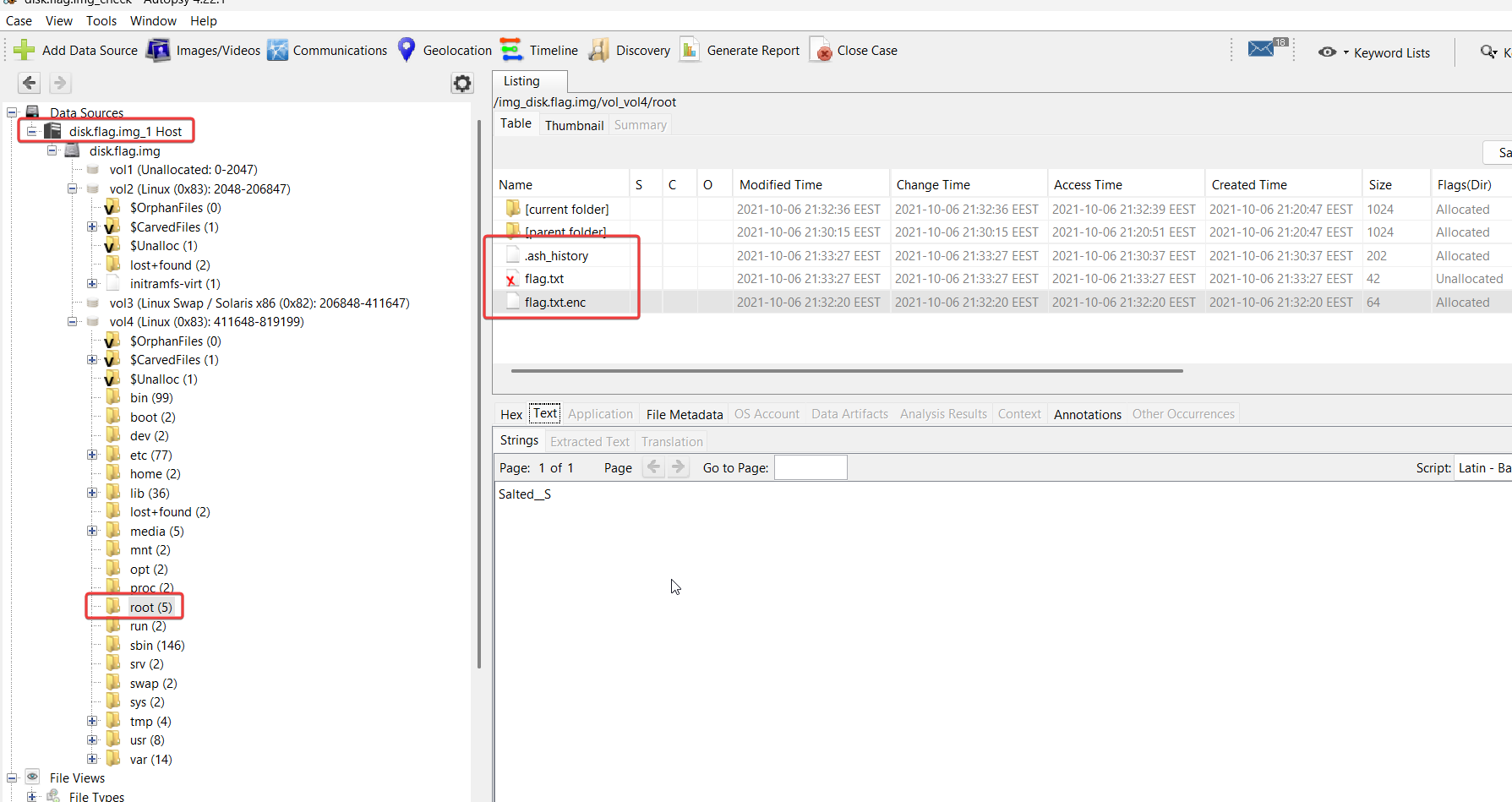
File analysis
let’s look at the files .ash_history, flag.txt, flag.txt.enc:
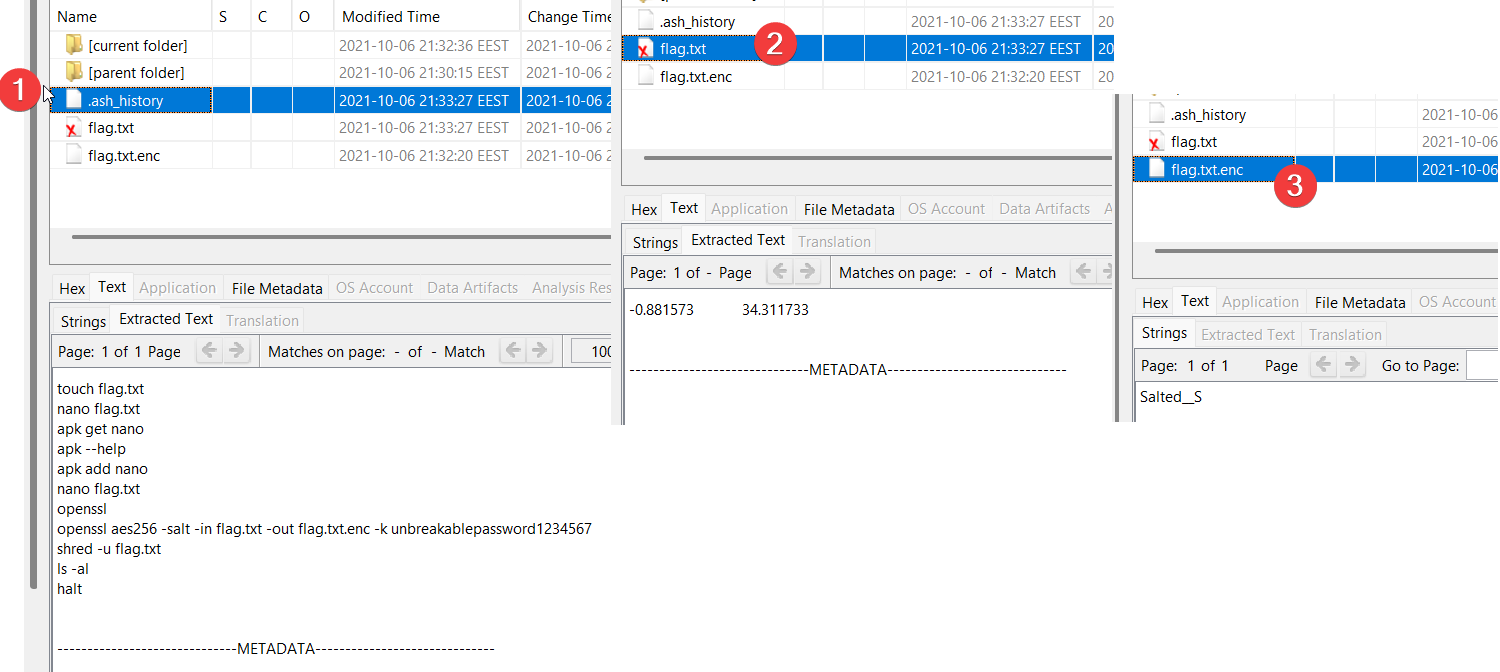
we see the openssl command that is very similar to what we have seen in Eavesdrop task:
openssl uses AES with a block length of 256 bits, adding salt to the contents of flag.txt and the key unbreakablepassword1234567.
Let’s decrypt our flag.
VM kali
Decryption
Since AES is a symmetric algorithm, like 3DES from task Eavesdrop, the decryption process is the same:
- Export the file
flag.txt.enc - Let’s use the command we found:
openssl aes256 -d -salt -in flag.txt.enc -out decrypted_flag.txt -k unbreakablepassword1234567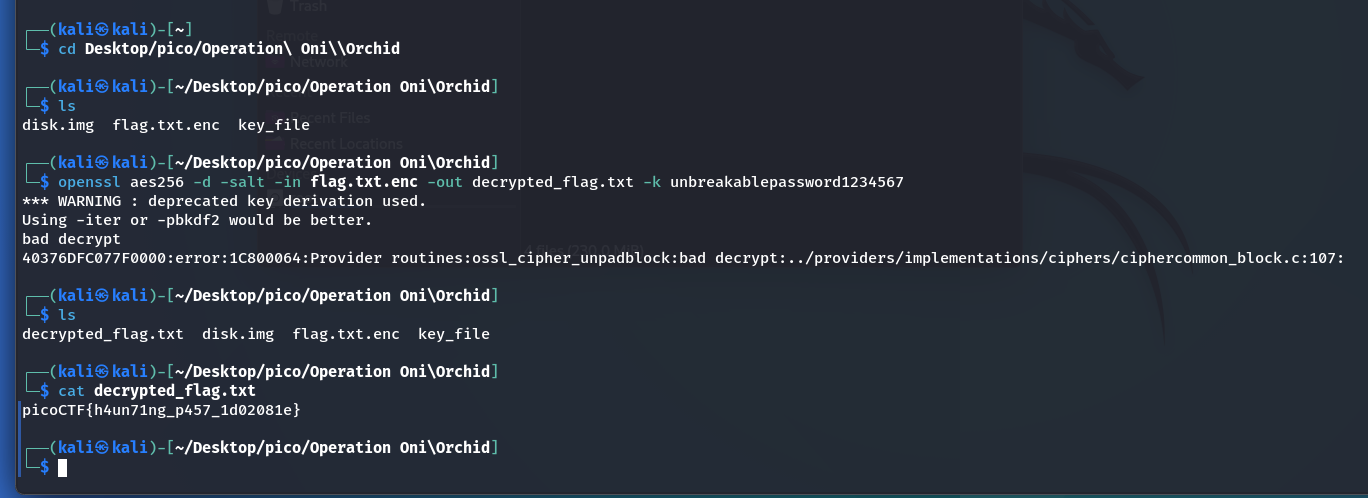
picoCTF{h4un71ng_p457_1d02081e}