In this task, we need to analyze the capture.flag.pcap file, find the TCP streams of communication between two clients, understand what they were talking about, and extract the encrypted flag.
Strings
strings capture.flag.pcap outputs the following result:
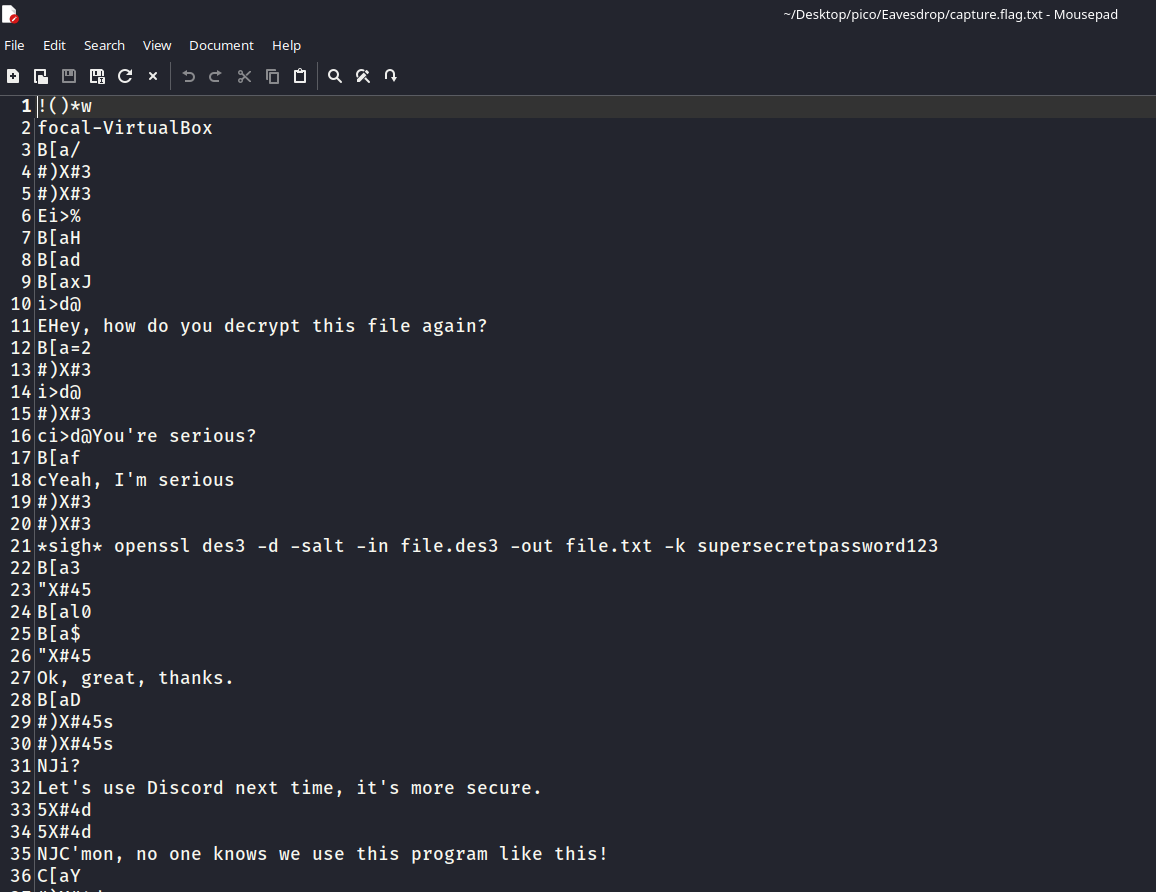
This suggests that there was a TCP stream between two clients. Let’s try to trace these streams.
Wireshark
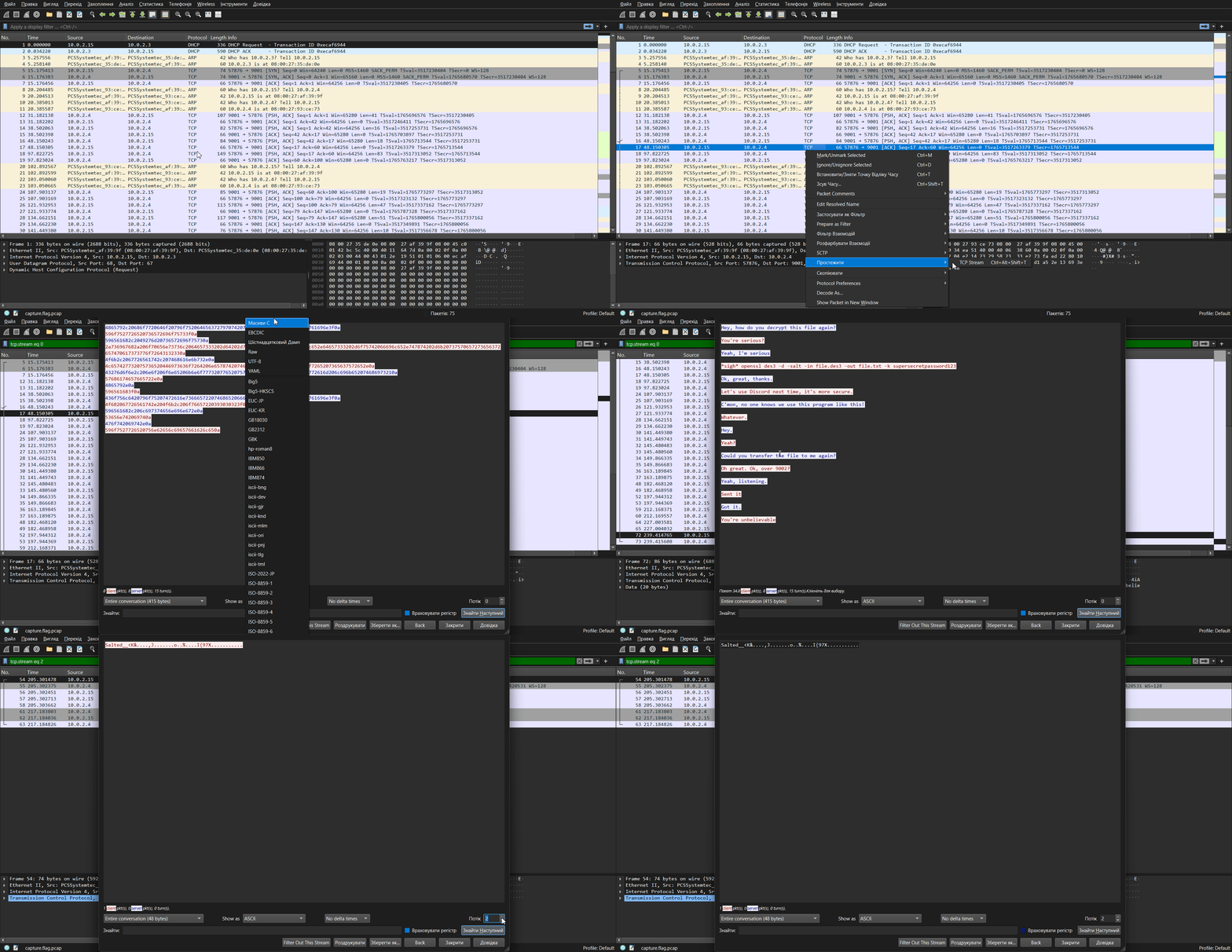
As can be seen from the GIF above, stream 0 (tcp.stream eq 0) gives us the following:
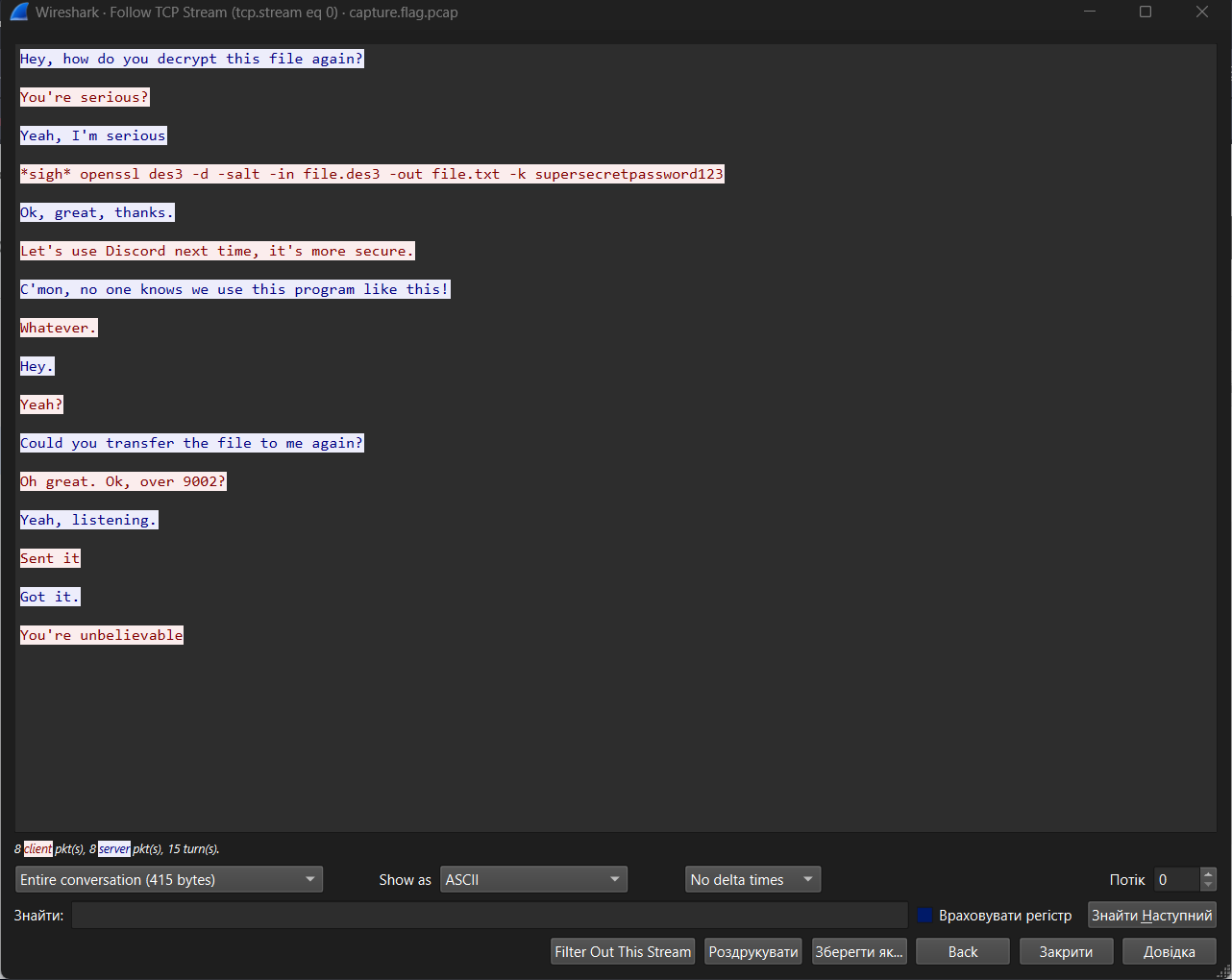
Here you can see the chat between two clients about transferring a file with:
- adding salt to the message
- encryption using the 3DES algorithm
- transfer via port 9002
- Discord would be better here pog
Let’s take a look at the streams. In stream 2, we find a “salted” and Triple DES-encrypted message:
tcp.stream eq 2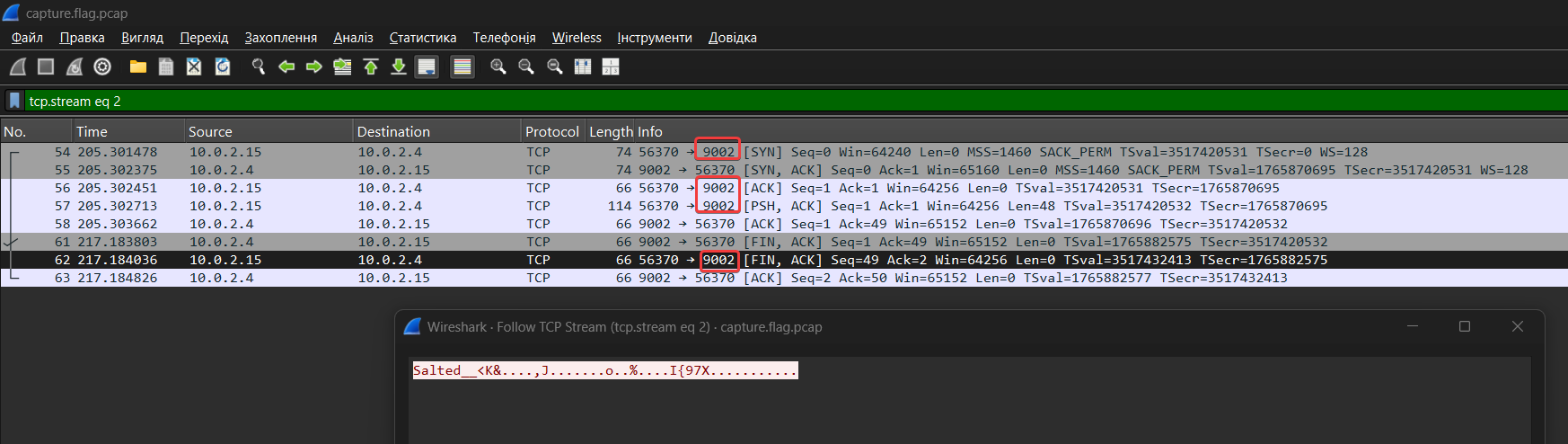
Salted__<K&....,J.......o..%....I{97X...........
openssl
In conversation we saw the following command:
openssl des3 -d -salt -in file.des3 -out file.txt -k supersecretpassword123NOTE
The 3DES algorithm is a block symmetric algorithm, so the same key is used for encryption and decryption. Let’s break down the command:
des3: the encryption algorithm used, specify it explicitly-d: flag tellsopensslthat it needs to perform decryption. If we wanted to encrypt, we would use the-e(encrypt) flag.-salt: flag informs OpenSSL that salt was used during encryption (and therefore for successful decryption).
NOTE
When
-saltis used for decryption, OpenSSL expects the encrypted file to begin with an 8-byte stringSalted__(in ASCII) followed by an 8-byte salt (a total of 16 bytes at the beginning of the file). These 16 bytes are not part of the original data, but are metadata necessary for decryption.
-in file.des3: specifies the input file (-in) to be decrypted.-out file.txt: This flag specifies the output file (-out) where the decrypted content will be written.-k supersecretpassword123: specifies the passphrase used to generate the encryption key.
Export to Raw
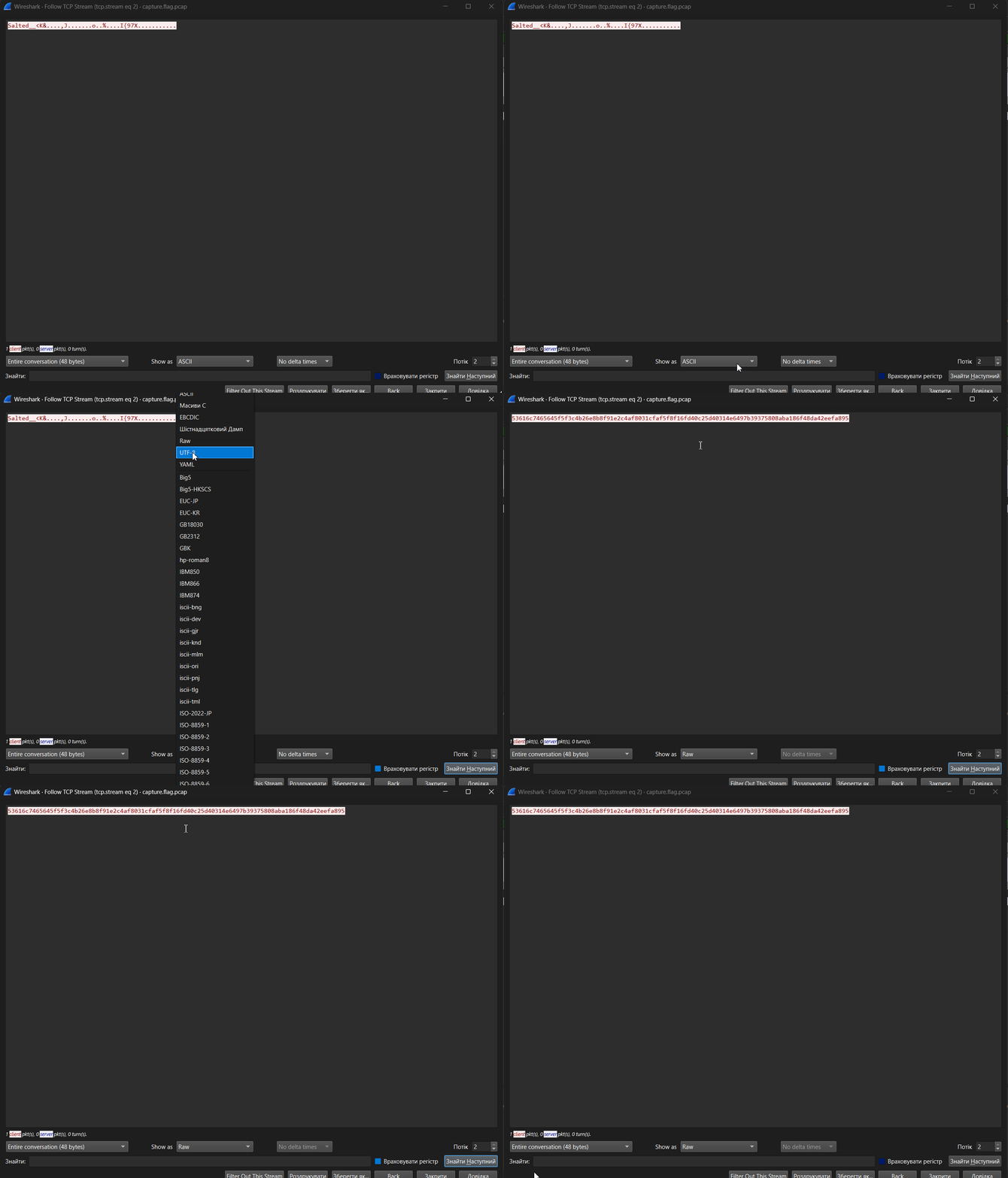
We export in RAW Bytes format, because the block algorithm operates with bytes.
53616c7465645f5f3c4b26e8b8f91e2c4af8031cfaf5f8f16fd40c25d40314e6497b39375808aba186f48da42eefa895
Put this in a .bin file and apply the same command we found:
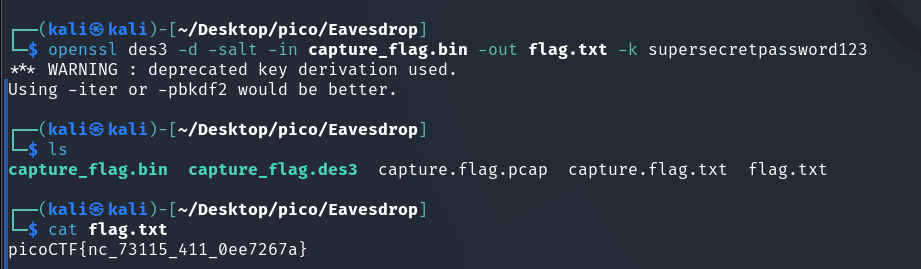
picoCTF{nc_73115_411_0ee7267a}