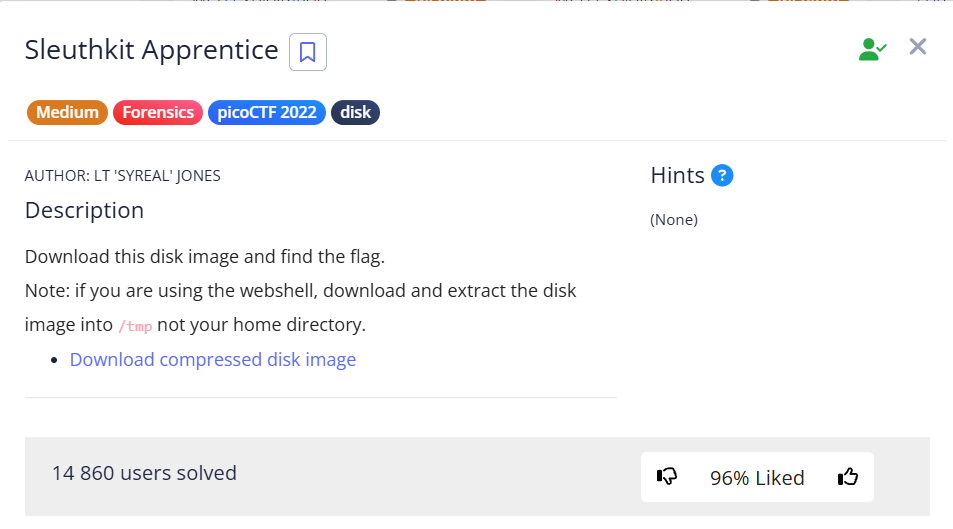
In this task, we need to find the flag in the disk image disk.flag.img.
I method
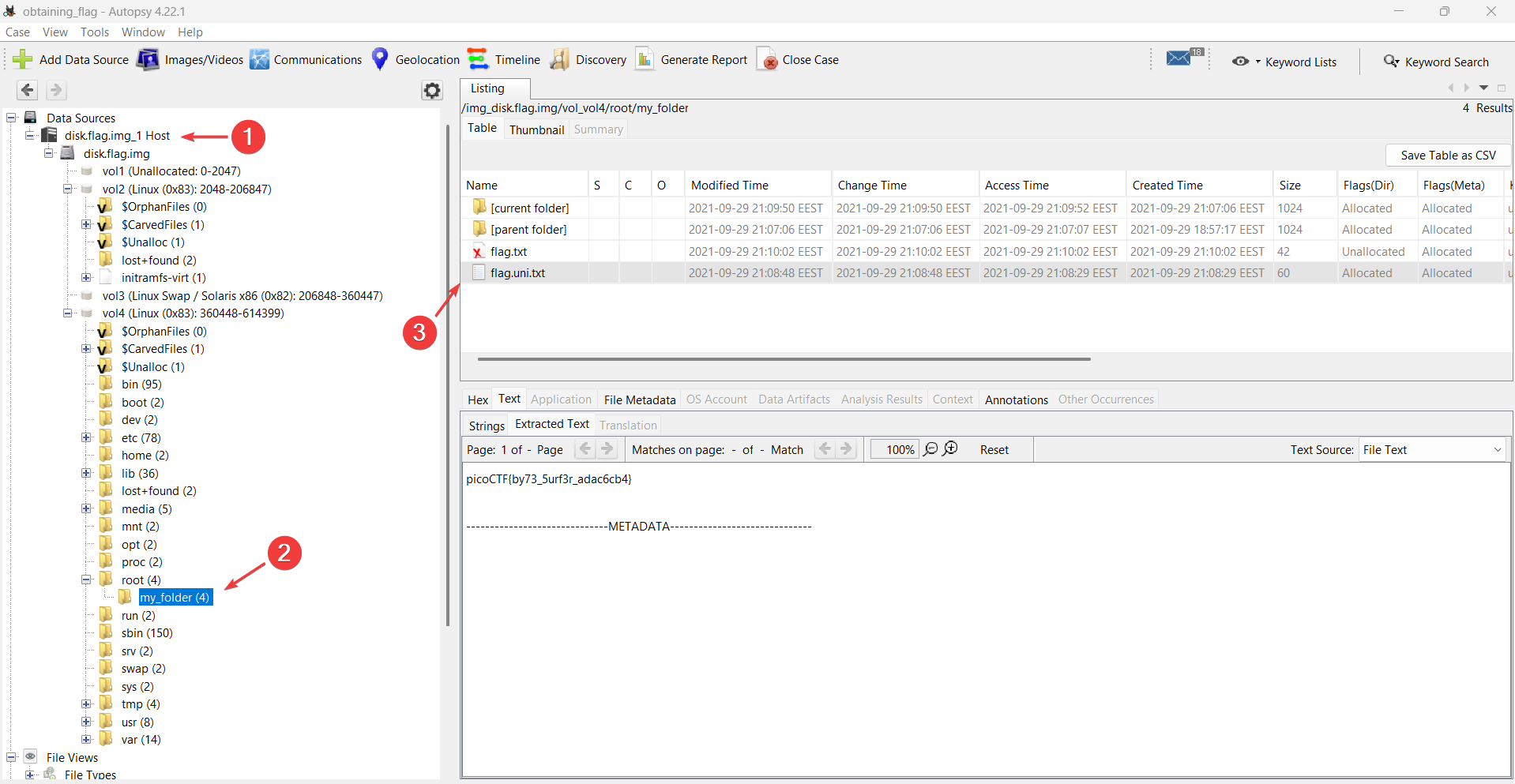
Autopsy
For more details on how to create a project and add a file to Autopsy for analysis, check Operation Oni write-up.
II method
VM kali
mmls
NOTE
mmlsused to list the partition table contents so that you can determine where each partition starts. (Source)
First, let’s look at the partitions on the disk. Here you can see the offset at which each partition begins.
mmls disk.flag.img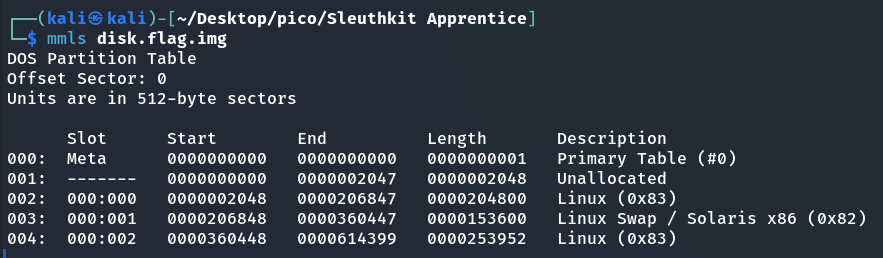
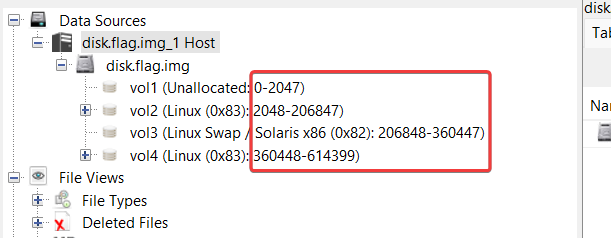
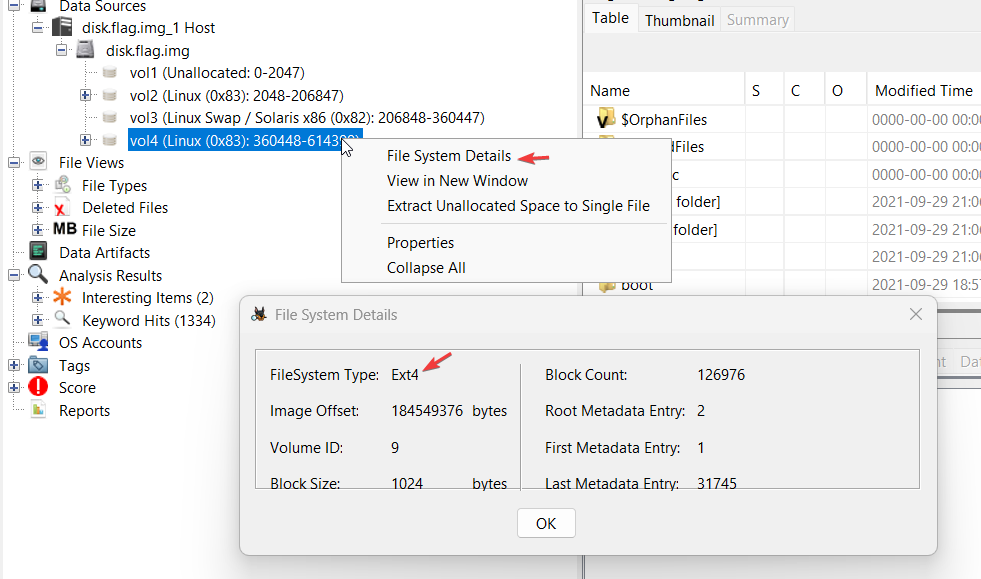
Comparison how to do the same in Autopsy:
fsstat
NOTE
fsstatdisplays the details associated with a file system. The output of this command is file system specific. (Source)
Next, we will learn more about each section in detail, including the file system (needed for parameters in subsequent commands):
fsstat -o 2048 disk.flag.img > fsstat_Linux_(0x83)_2048.txt
fsstat -o 360448 disk.flag.img > fsstat_Linux_(0x83)_360448.txt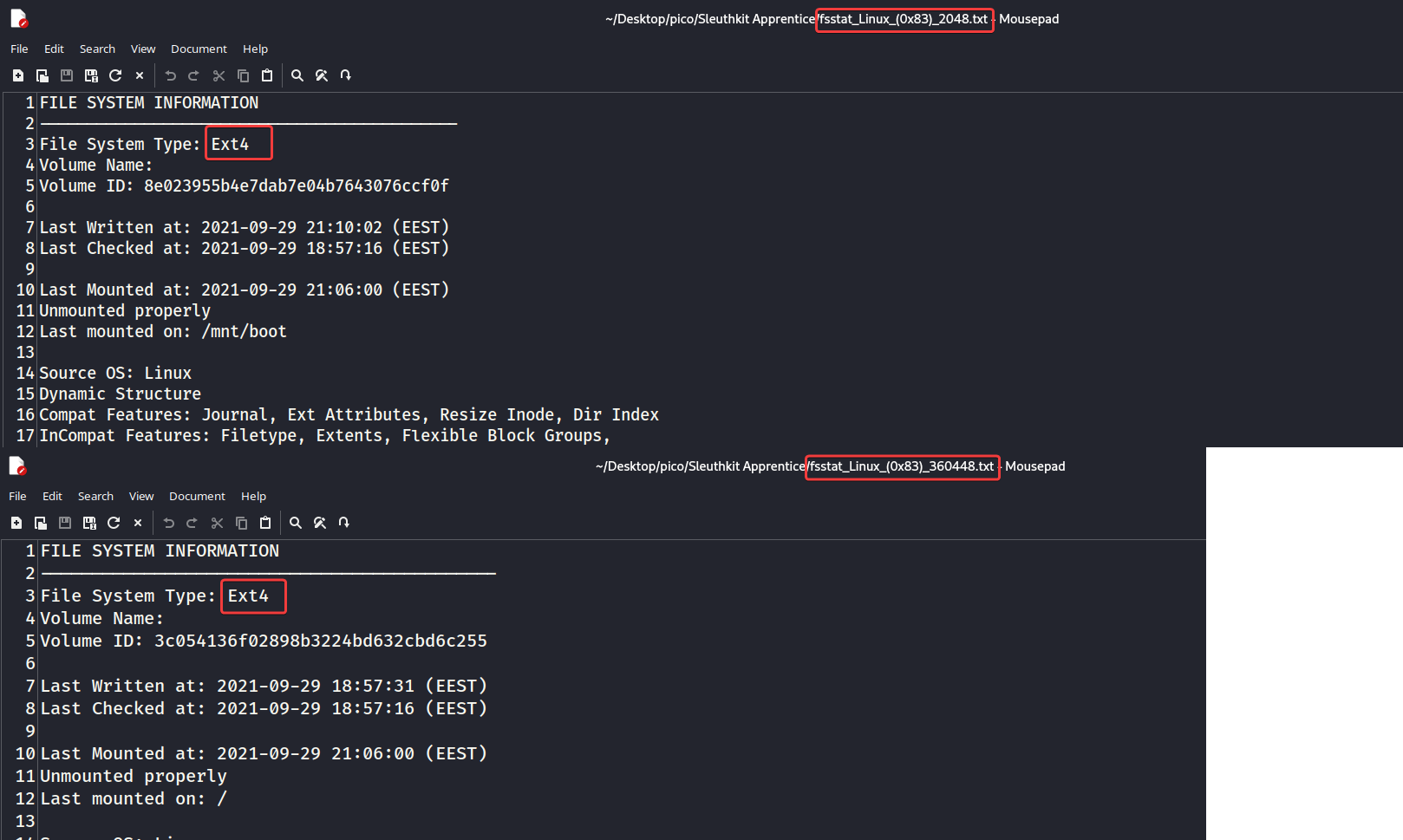
In Autopsy:
fls
NOTE
flslists the files and directory names in a file system (Source)
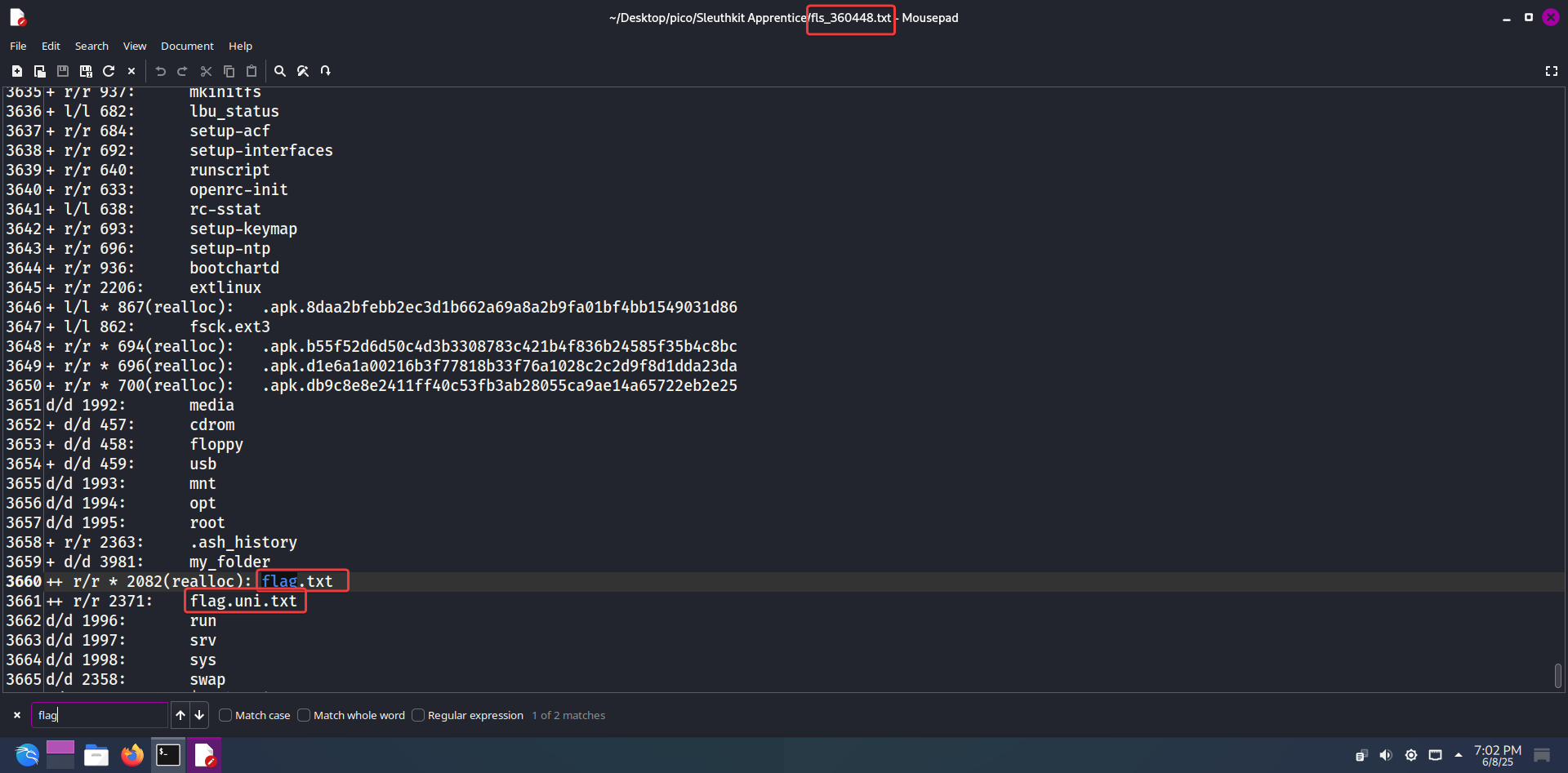
Next, we will use fls to display the names of files and directories:
fls -i raw -f ext4 -o 360448 -r disk.flag.imghere:
-i raw– indicates that the input filedisk.flag.imgis a raw disk image
NOTE
Why
raw: Becausefls(and other Sleuth Kit tools) need to know how to interpret the input file. If it were anE01(EnCase) image, we would use-i ewf. If it were anaff(Advanced Forensic Format) image, it would be-i aff. But sincedisk.flag.imgis a simple sequence of bytes,rawis the correct choice.
-f ext4– the type of file system partition.-o 360448– offset (number of sectors from the beginning of the image)
or:

icat
NOTE
icatoutput the contents of a file based on its inode number. (Source)
Inodes(from “index node” or “index descriptor”) — This is a fundamental concept in Unix-like operating systems (such as Linux, macOS, Unix). Every file and directory on the file system has its own unique inode.An inode stores metadata about a file or directory, but does NOT store the actual file contents. This metadata includes:
- File type: regular file, directory, symbolic link, device, etc.
- Access rights: read, write execute permissions.
- Owner and group: The user ID (UID) and group ID (GID) that own the file.
- Timestamps:
- atime (access time): Time of last access (read) to the file.
- mtime (modification time): Time of last file content change.
- ctime (change time): Time of the last inode change (e.g., change in access rights, owner, file content).
- File size: in bytes.
- Number of hard links: The number of times a file is referenced in the directory structure. When a file is deleted, the hard link count is decremented. When it reaches 0, the data can be freed.
- Pointers to data blocks: Most importantly, an inode contains pointers (addresses) to data blocks on the disk where the file content is actually stored.
IMPORTANT
inodeimportance in forensics:
- Deleted files: When a file is deleted, its name is simply removed from the directory, and the pointers to the data blocks in the inode may remain unchanged until those blocks are overwritten.
icat -i raw -f ext4 -o 360448 -r disk.flag.img 2371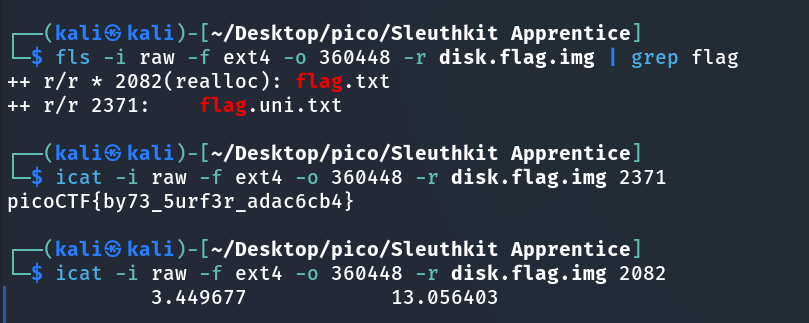
picoCTF{by73_5urf3r_adac6cb4}