At first glance, this task appears to belong to the Web Exploitation category, but the hint suggests looking elsewhere.
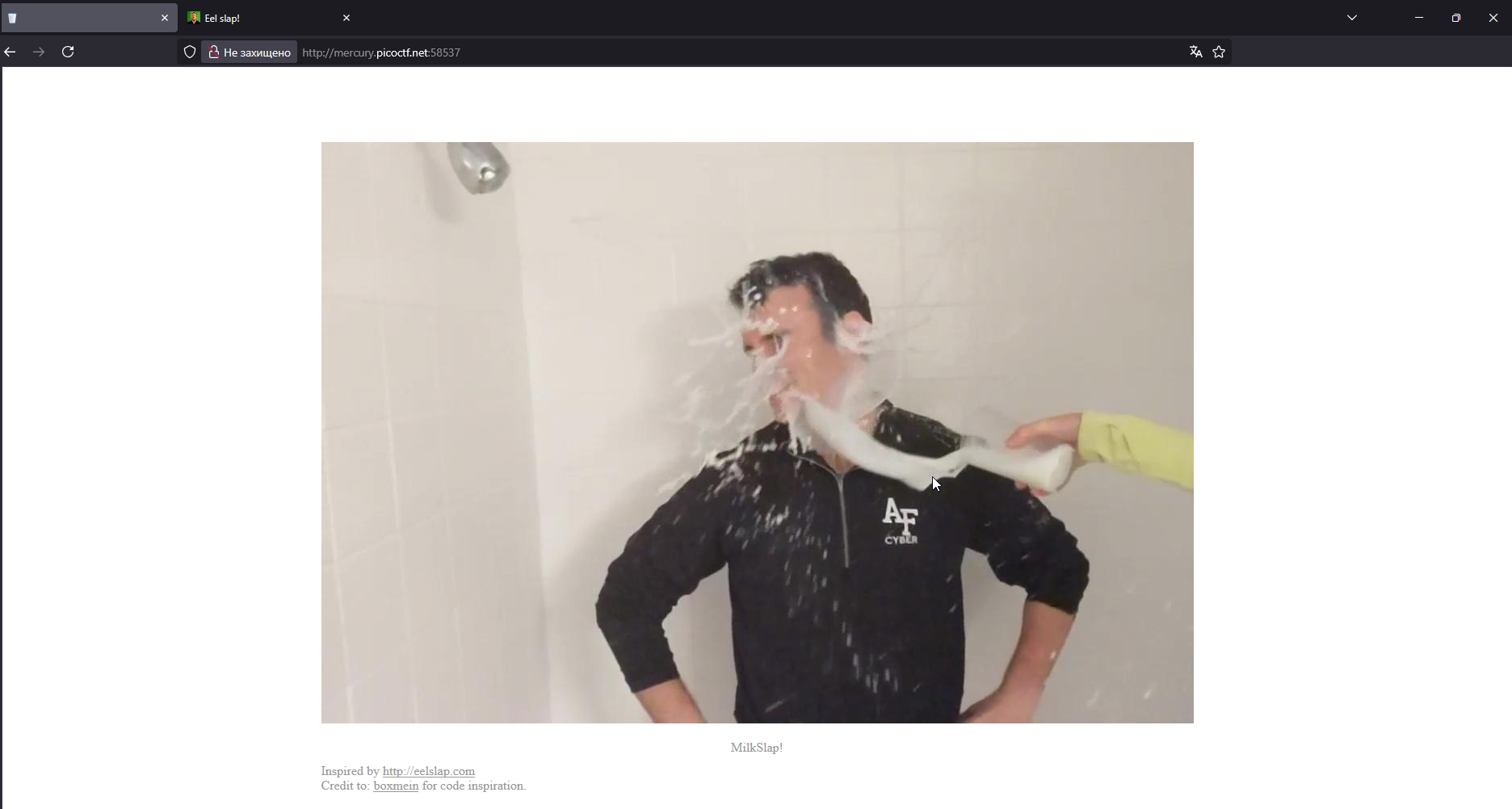
First, we see a web application with a single GIF (at first glance) that plays when you move the cursor from right to left over it. Let’s take a look at DevTools → Network:
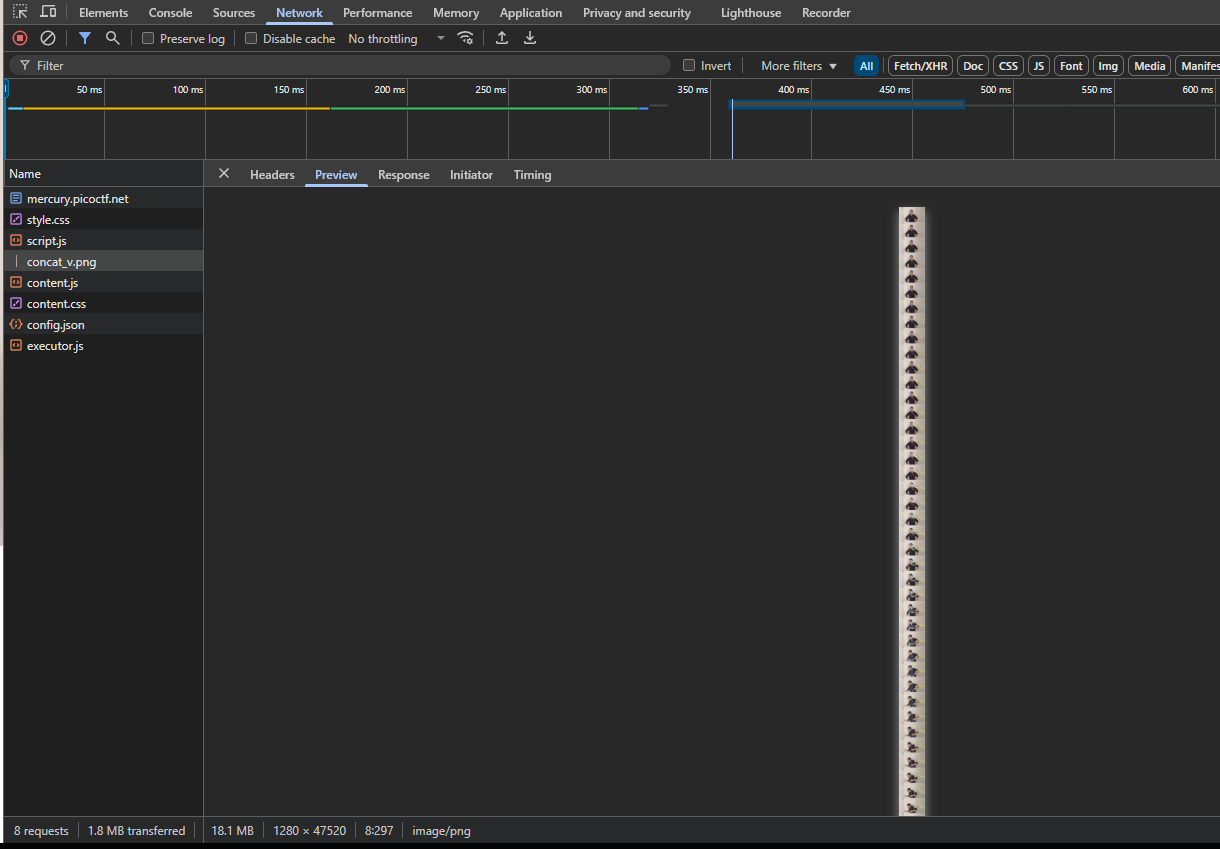
After looking through all the files, I couldn’t find any mention of pico or ctf, but there is a very long png file with concatenated frames from an image. Such images are called 'Sprite Sheets'.
The hint that this is the Forensics category suggests that the flag is probably hidden using steganography in this png.
binwalk -e concat_v.png didn’t give any results.
Trying zsteg:
zsteg concat_v.png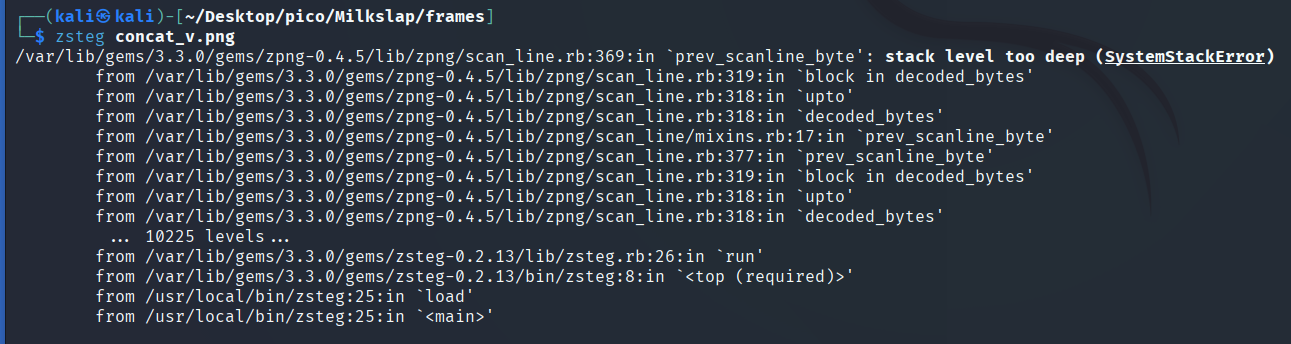
The image has a resolution of 1280x47520, which causes the zsteg buffer overflow.
So I came up with the idea of splitting this file into frames and applying zsteg to each of them.
First, I counted the frames manually, there are 66 of them.
47520/66=720 divides evenly. Therefore, we get that each frame has a resolution of 1280x720.
Cutting frames
Let’s write a Python-script cut_frames.py for cutting frames from a sprite sheet:
TIP
Scripts and explanations to them I left here: click
#usage:
# need to place in one directory with *.png
# chmod +x cut_frames.py
# python3 cut_frames.py
from PIL import Image

def extract_frames():
    print('Start frame extraction')

    img = Image.open('concat_v.png')
    print(f'Sprite sheet size (pix): {img.size}')

    frame_height = 720
    frame_width = 1280

    for i in range(66): #0-65
        frame_num = i + 1

        y_start = i * frame_height
        y_end = y_start + frame_height

        print(f'==Extracting frame {frame_num} (y: {y_start}-{y_end})==')

        # Cutting the frame (left, top, right, bottom)
        frame = img.crop((0, y_start, frame_width, y_end))

        frame_name = f"frame_{frame_num}.png"
        frame.save(frame_name)
        print(f'==Saved frame {frame_num}.png==')

    print('Extraction completed')

if __name__ == "__main__":
    extract_frames()
Result:

Automate flag search
Let’s apply zsteg. Writing bash-ascrpt zteg_to_each_frame.sh to automate this process:
#!/bin/bash

echo "==zsteg scan=="

for frame in frame_*.png; do
  if zsteg $frame 2>/dev/null | grep -iE "pico|ctf|flag"; then
  	echo "FOUND FLAG"
  	zsteg $frame 2>/dev/null | grep -iE "pico|ctf|flag"
  else
  	echo "NOTHING YET"
  fi
done
Result:
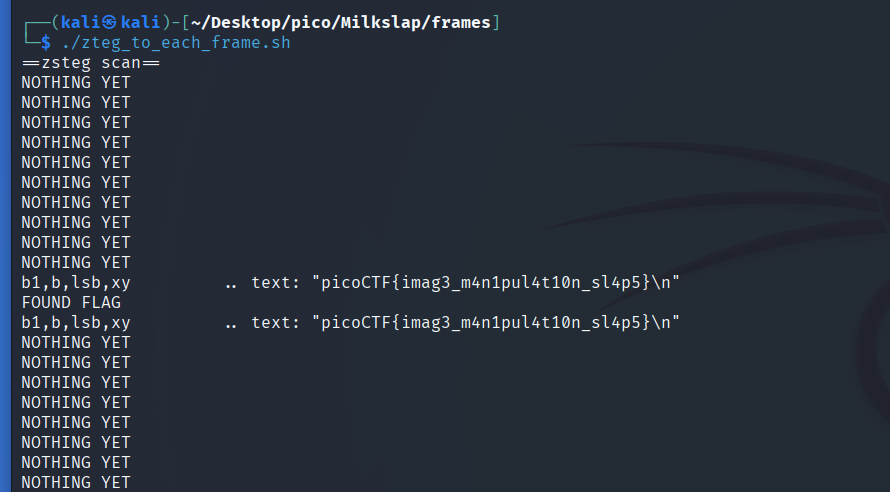
picoCTF{imag3_m4n1pul4t10n_sl4p5}