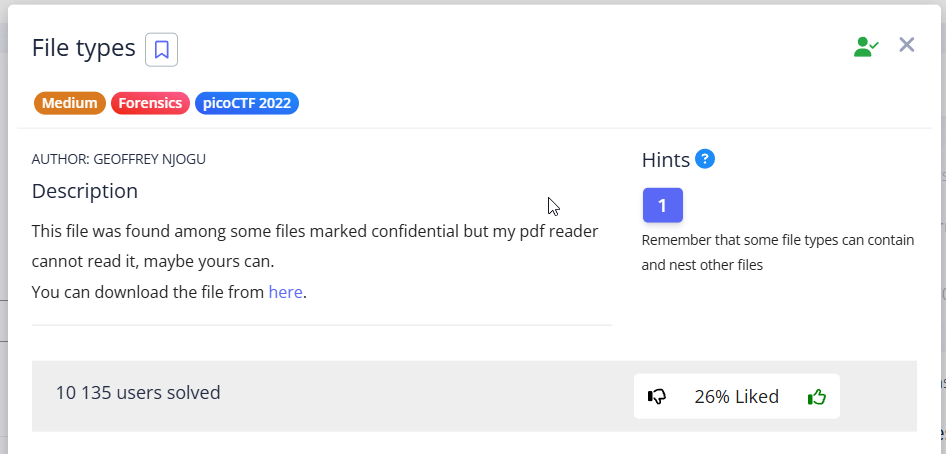
In this task, we need to unpack a flag that has been archived/encoded multiple times.
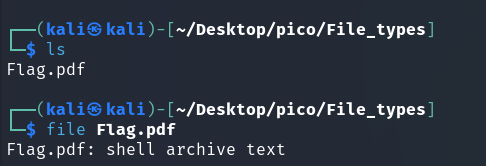
NOTE
shell archive text – A shell archive is similar to a tar file, but is only used to pack source code and other text files. This is a convenient way to combine all the source files of a project into a single file that can be sent by email. (Source)
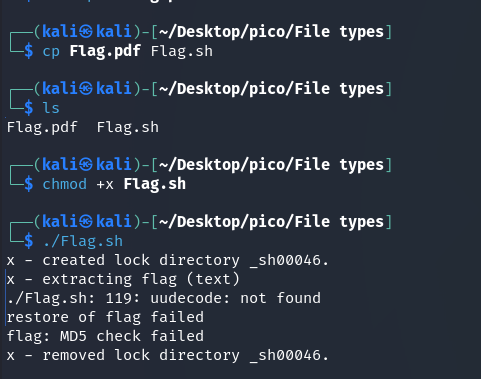
./Flag.sh: 119: uudecode: not found: This is the main mistake. The script attempted to execute the uudecode command (probably on line 119 of its code), but the system could not find this command.
NOTE
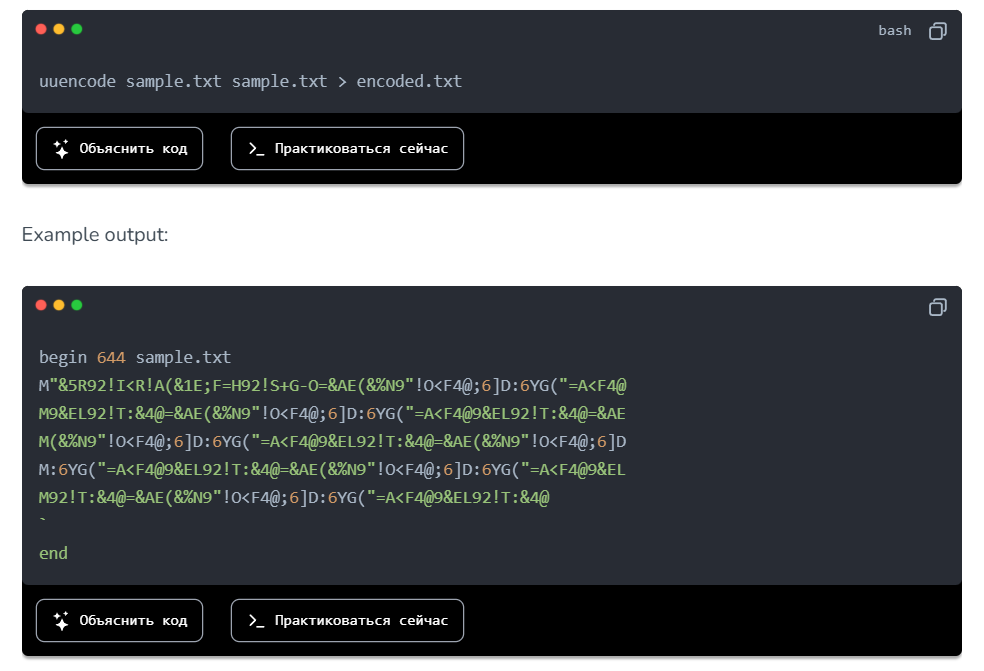
uudecode– command used to decode files that have been previously encoded withuuencode, which in turn is used to encode binary data such as images, documents, or executable files into a format that can be safely transmitted over text communication channels.Data encoded in this way has a recognizable appearance:
Let’s take a look inside Flag.pdf.sh:
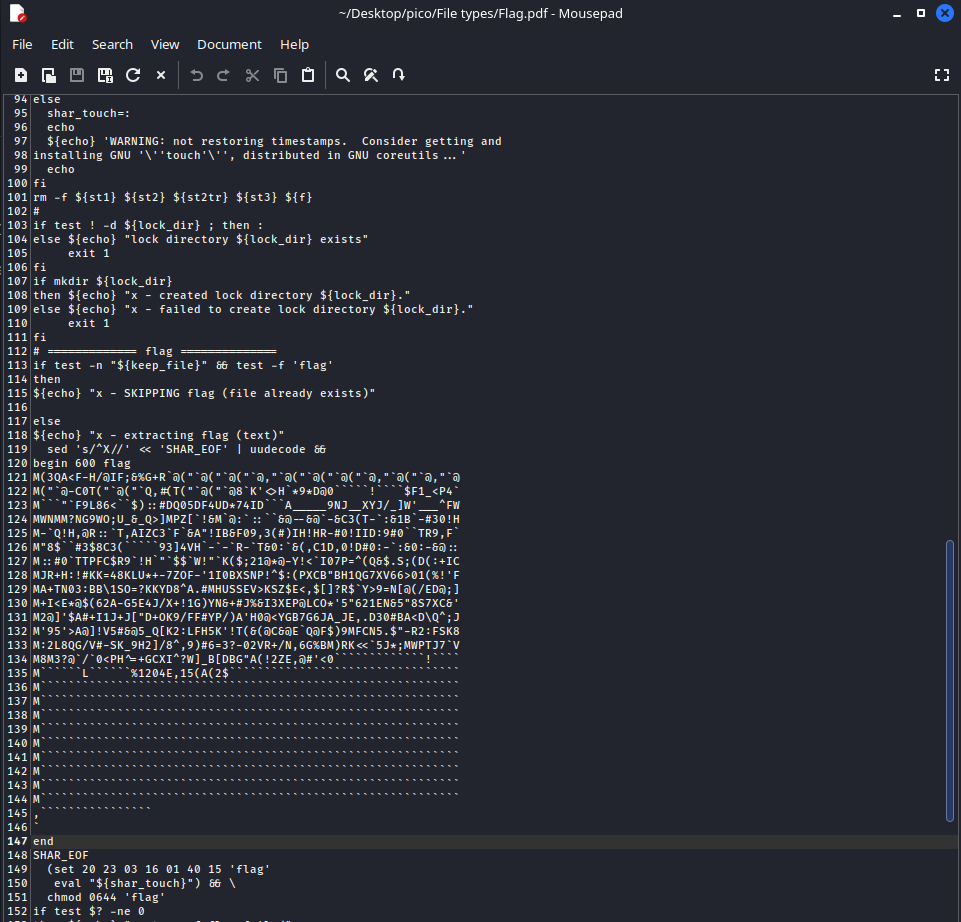
Here is a bash script and a pattern that points to uuencoded data. Next, you can proceed in two ways:
I method
Copy this pattern to a separate file and apply command:
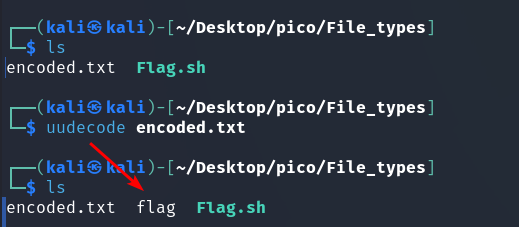
uudecode encoded.txt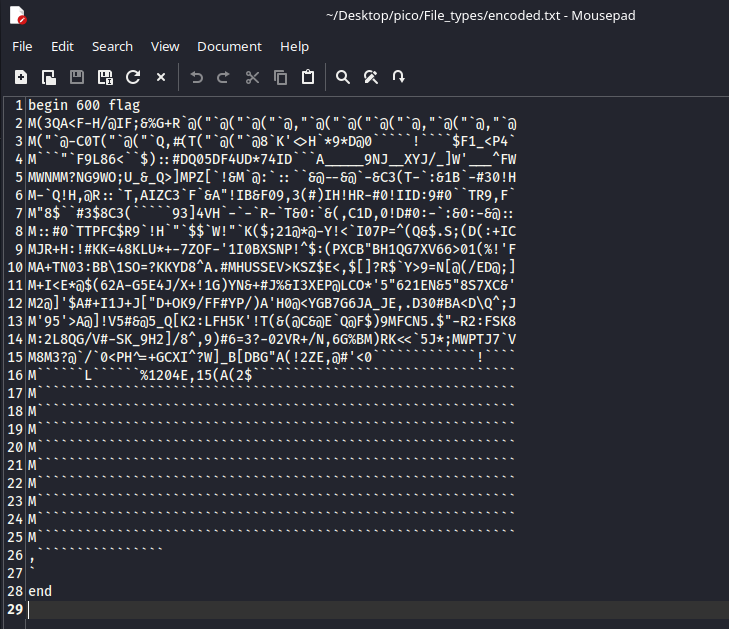
II method
When ./Flag.sh was run, a file named flag was created with the extension:

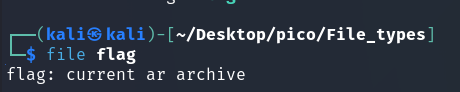
In both cases, we get an ar archive. This format has the extension .a or .ar. (More here) so let’s rename it for convenience:
mv flag flag.aFor unpacking (Source):
ar -xv flag.a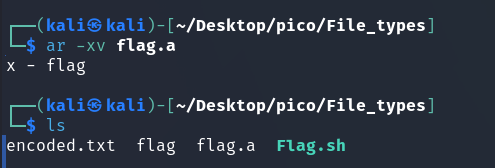

NOTE
cpiocan be interpreted as copy in, copy out. It is a basic archive format, liketar. It has the.cpioformat. Unpack it like this (Source):
cpio -iv < flag.cpio-
< flag.cpio– by default, cpio reads archive data from standard input when the-i(extract) flag is used.The command
cpio -iv flag.cpiois interpreted bycpionot as “unpack the archive from the fileflag”, but probably as “unpack files namedflagfrom standard input”. Since nothing is fed to standard input, the command simply waits for data.
Therefore, you need to redirect the contents of theflag.cpiofile to the standard input of thecpio -ivcommand.
Also, if you open flag.cpio in a text editor, you will notice something interesting:
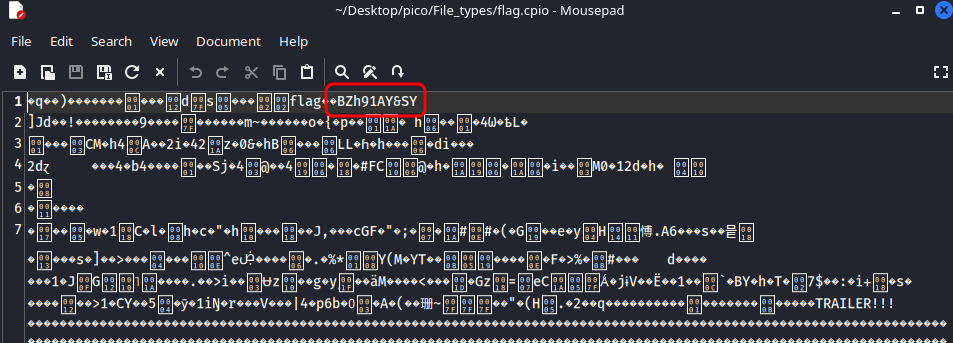
in line BZh91AY&SY:
BZh: These are magic bytes that clearly indicate that the file is compressed using the bzip2 algorithm.9: The number afterBZhindicates the block size used for compression (900 KB).
This suggests that a bz2 archive may be present in the following layers.
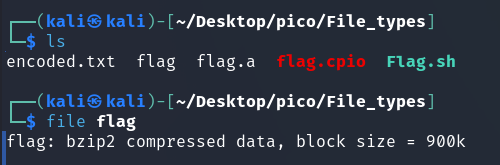
And here is the bz2 archive.
bunzip2 flag.bz2
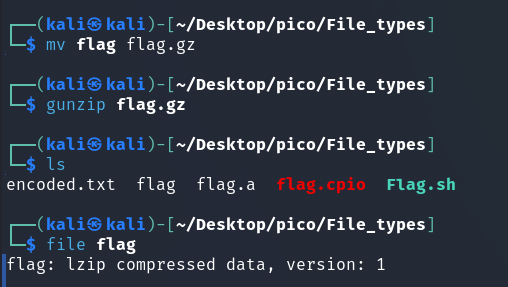
NOTE
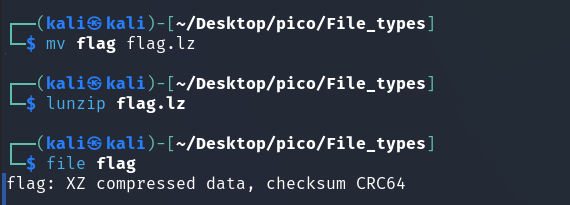
The lzip file format is designed for data exchange and long-term archiving, taking into account both data integrity and the availability of decoders. (Source)
archive has an extension .lz.
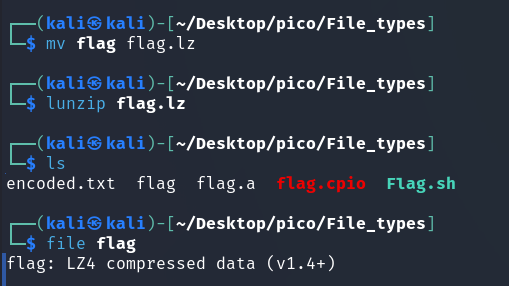
Next layer (LZ4 Source):
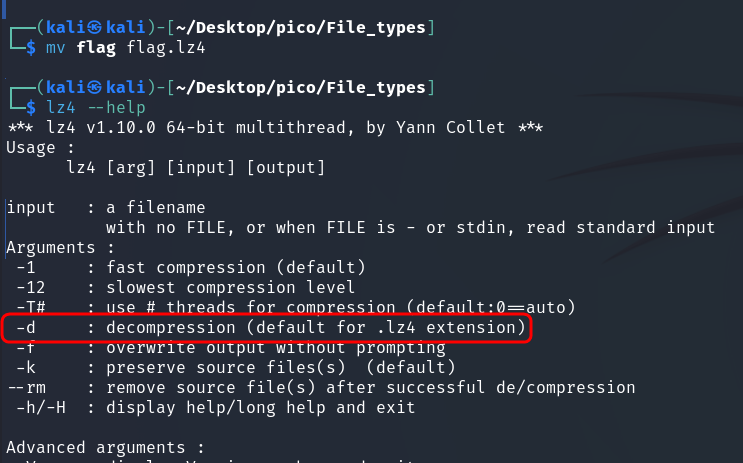
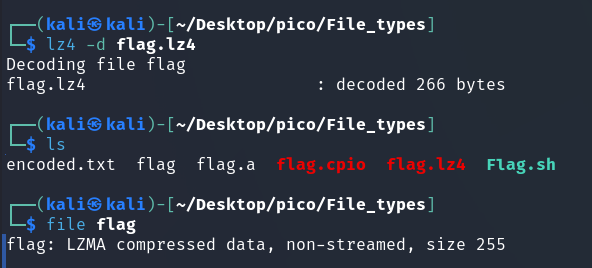
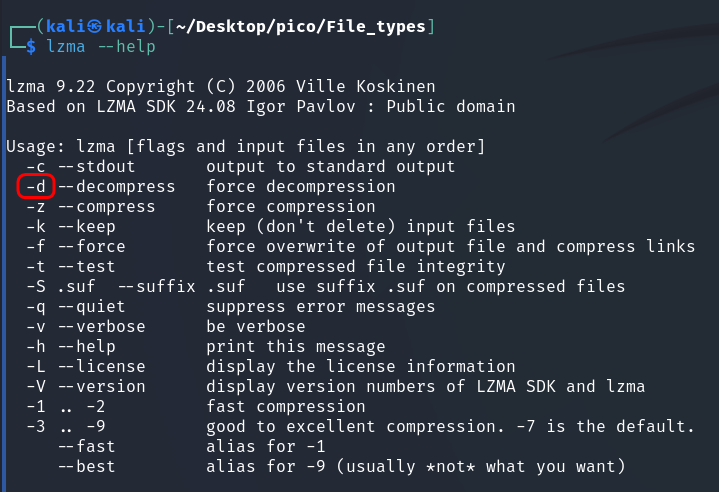
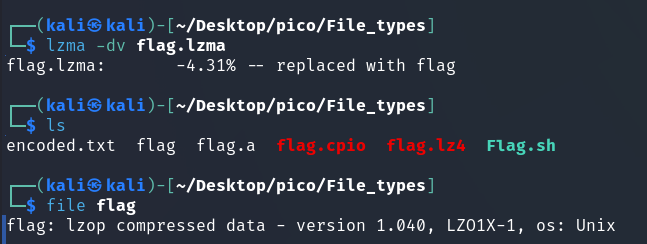
lzop very similar to gzip (Source)
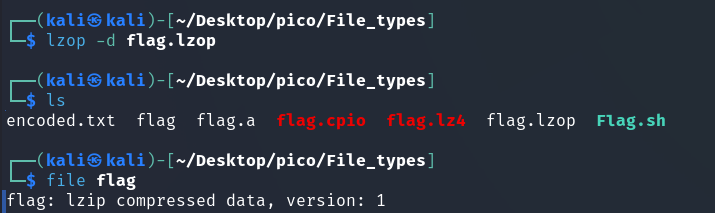
The author of the task clearly loves the lzip format, which he used to archive the flag twice.
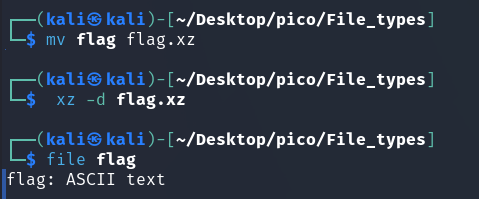
Finally ASCII-текст. Let’s see:

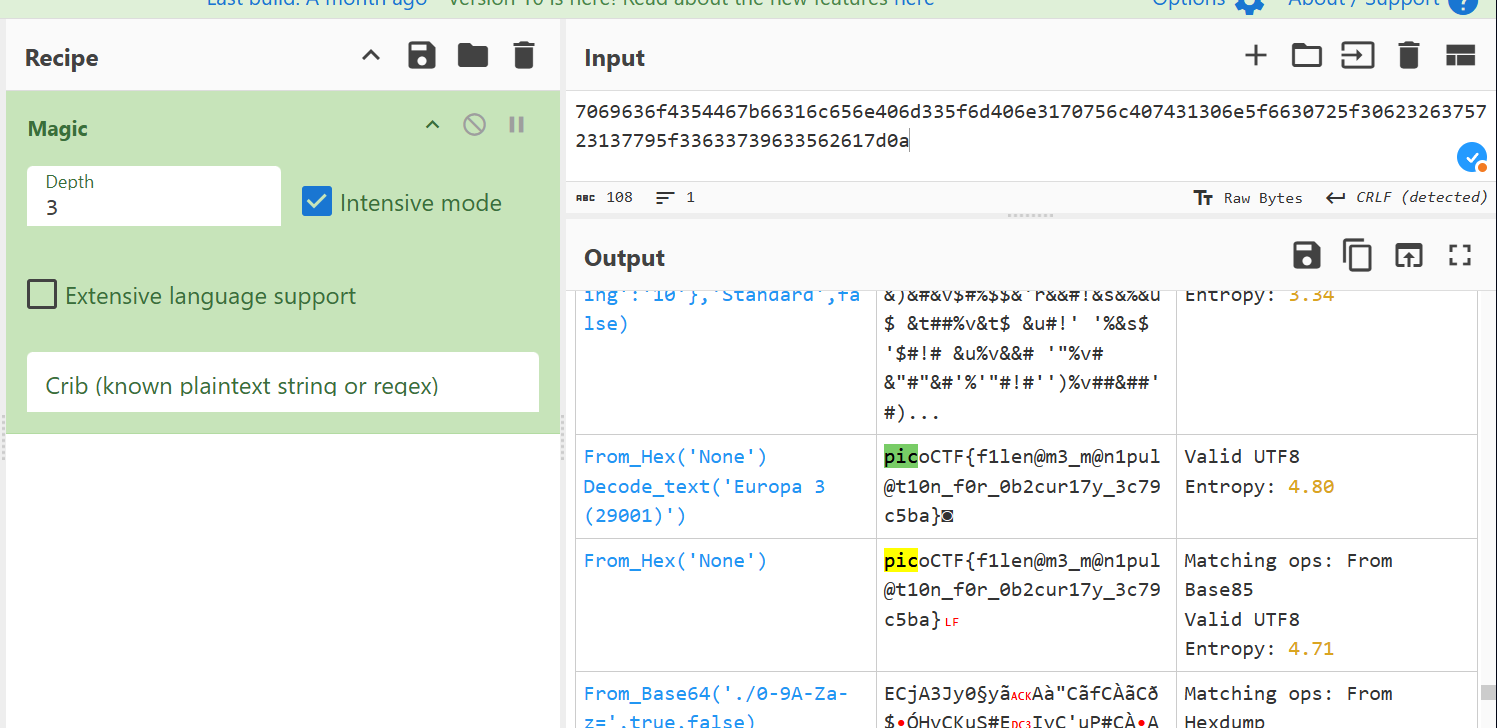
Or you can decode the hex-code directly in the terminal (Source):
cat flag | xxd -r -p && echo ''
picoCTF{f1len@m3_m@n1pul@t10n_f0r_0b2cur17y_3c79c5ba}