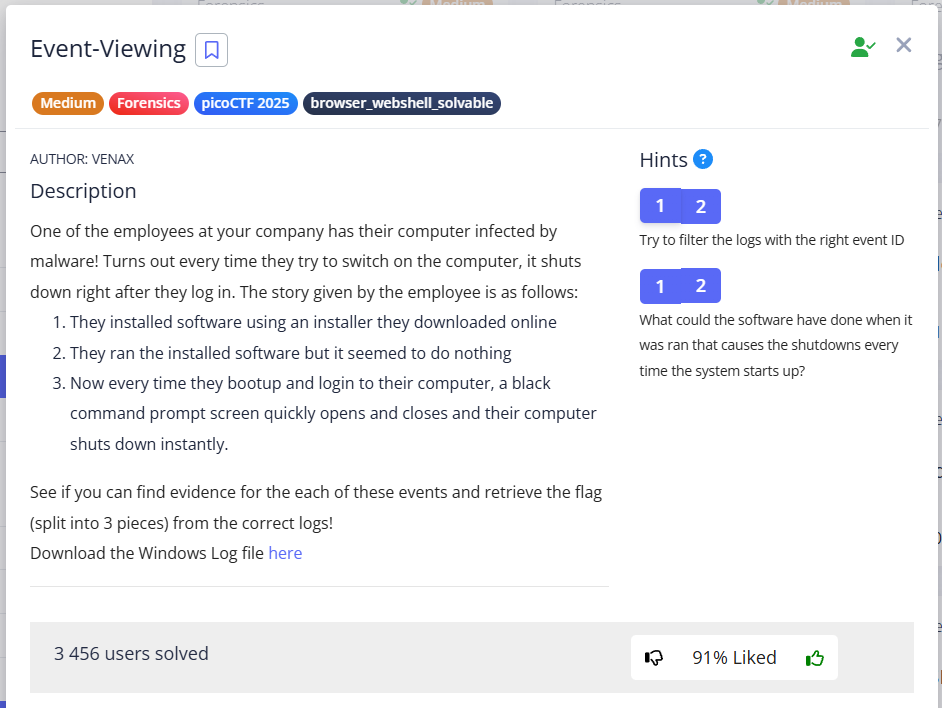
In this task, you need to find the events specified in the condition, namely:
1. Installation
2. Run/launch installed software
3. Bootup/login --> execute and shutdown
I explored, that in Windows Event Logs, specific IDs indicate certain actions behind them.
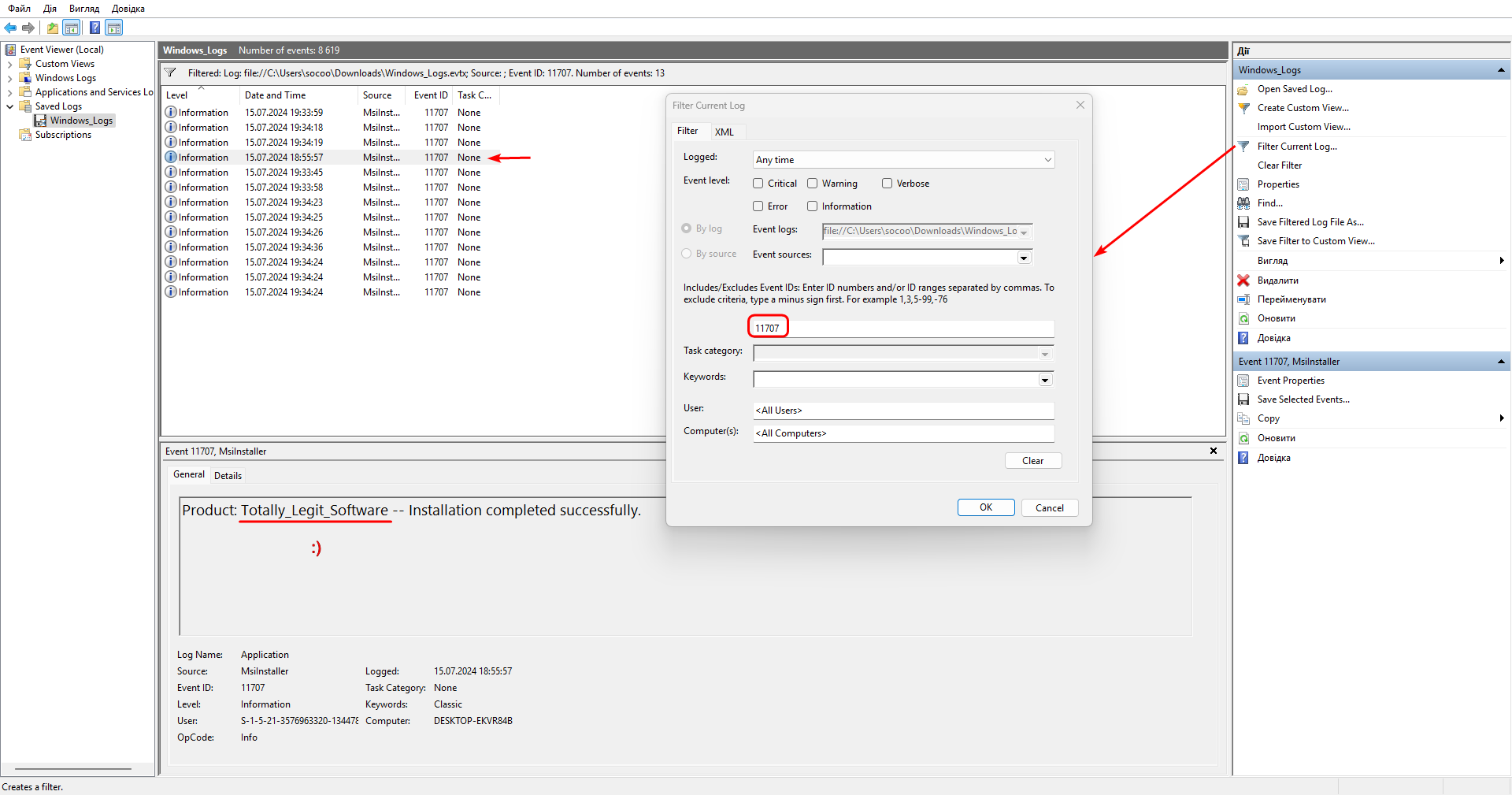
So I start googling for the ID for windows event viewer id install (Google search prompt). These IDs are 1033 and 11707.
Searching for 11707 in Filter Current Log gave us the name of the software being downloaded:
Totally_Legit_Software
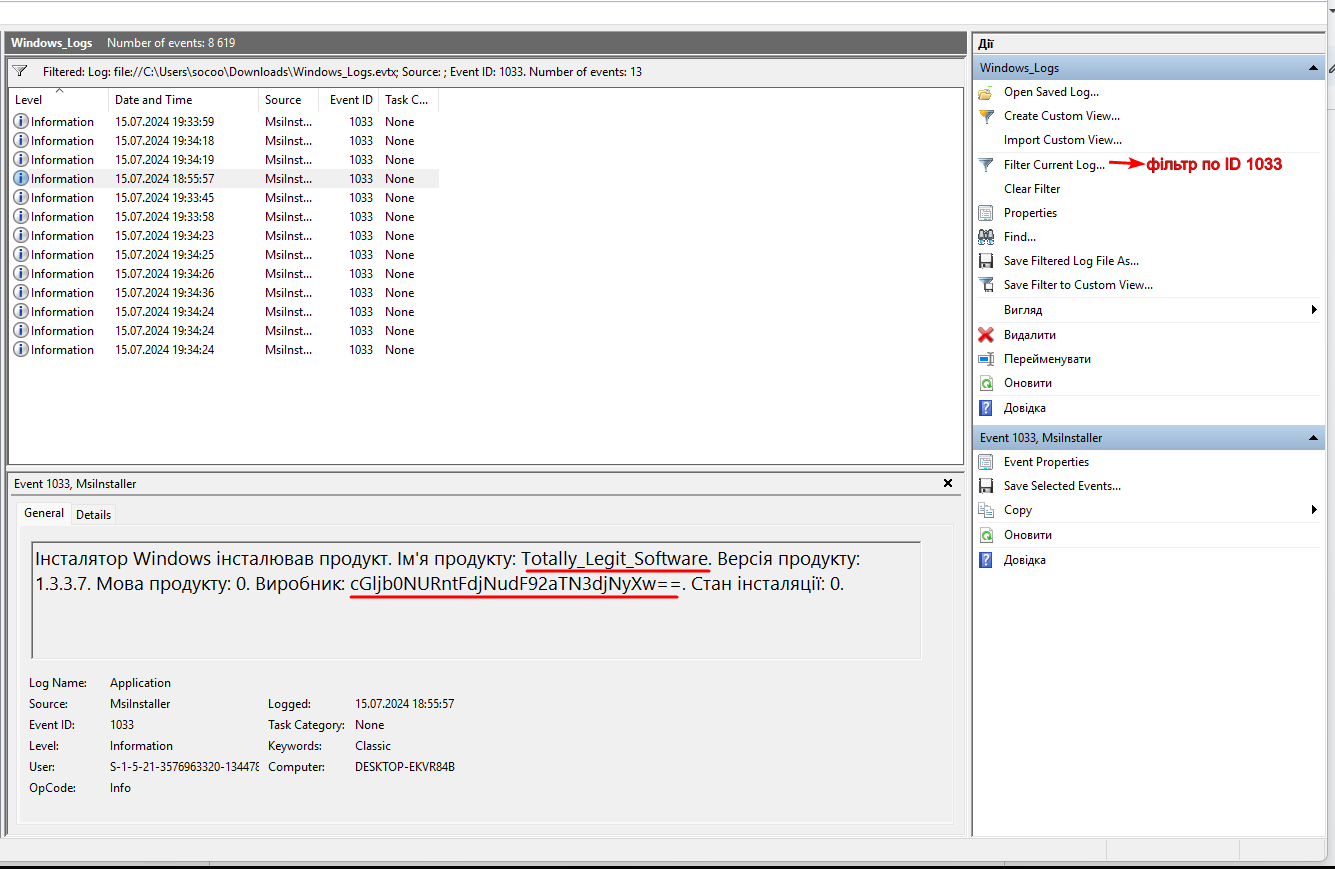
We search for 1033 and find the first part (it is in base64).:
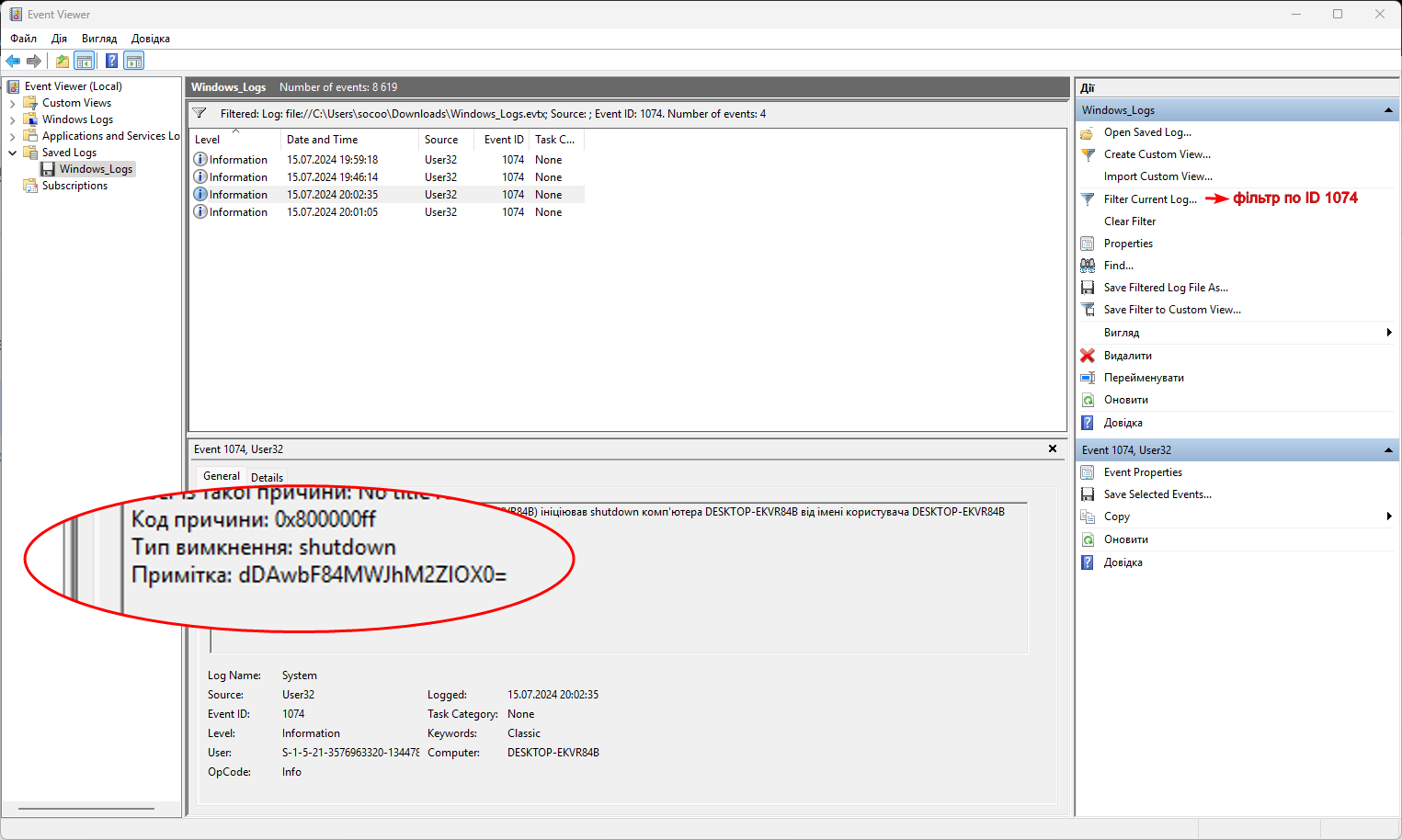
Next googled windows event viewer id shutdown, that logs under ID 1074. Using this ID, we find the third part (also base64):
I couldn’t find the second part right away because I was searching for something like “windows event viewer id Run/launch installed software”, but this is not exactly what the task conditions indicate to us.
Therefore, I tried to find a match using ==, which uniquely identifies base64:
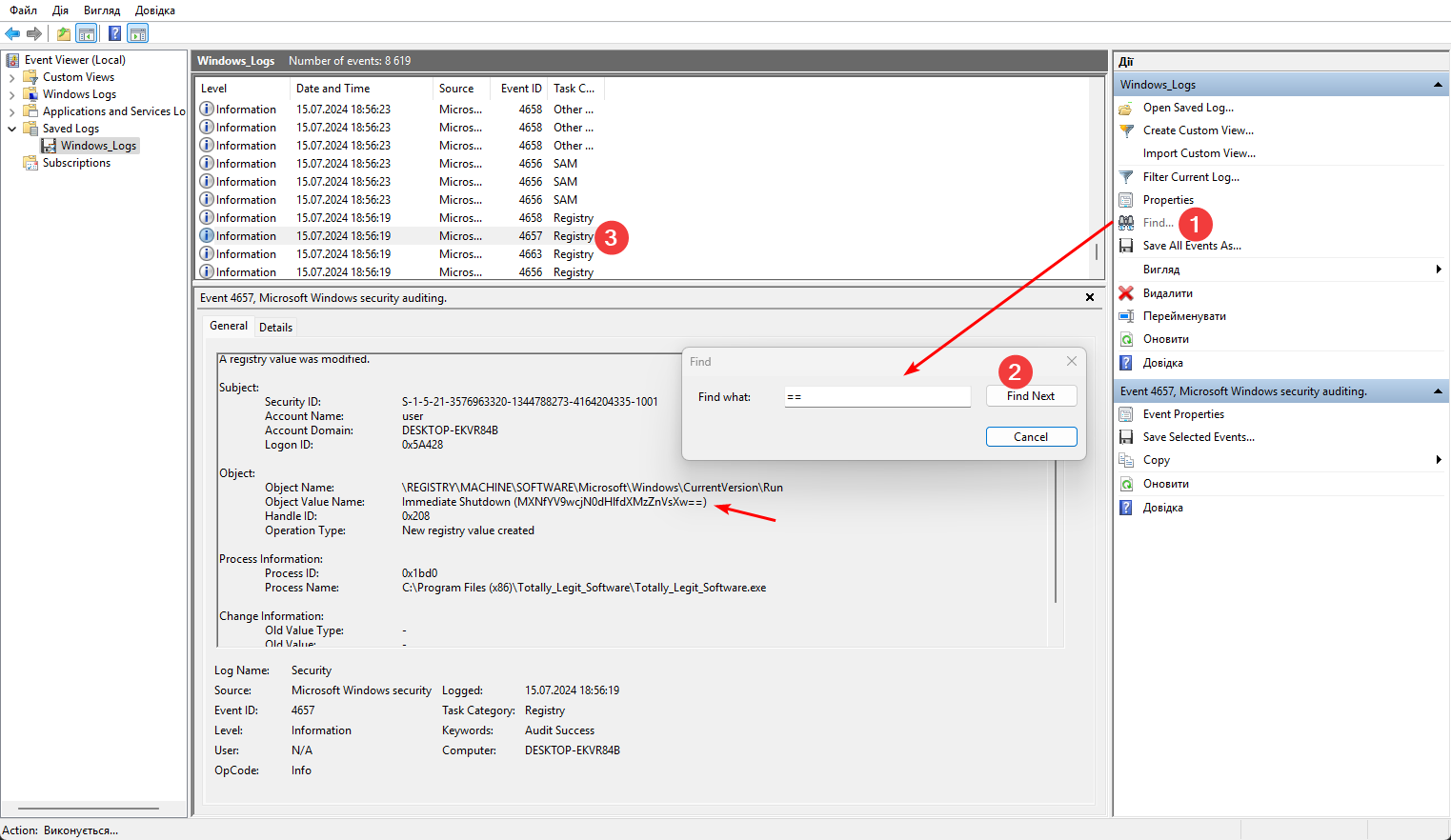
I got stuck, and this write up suggested me, that Totally_Legit_Software – is a Malware, which modifies the registry to run every time you log in, and I had to google it the following way:
windows event viewer id modify registry
written under ID 4657 with only 5 entries:
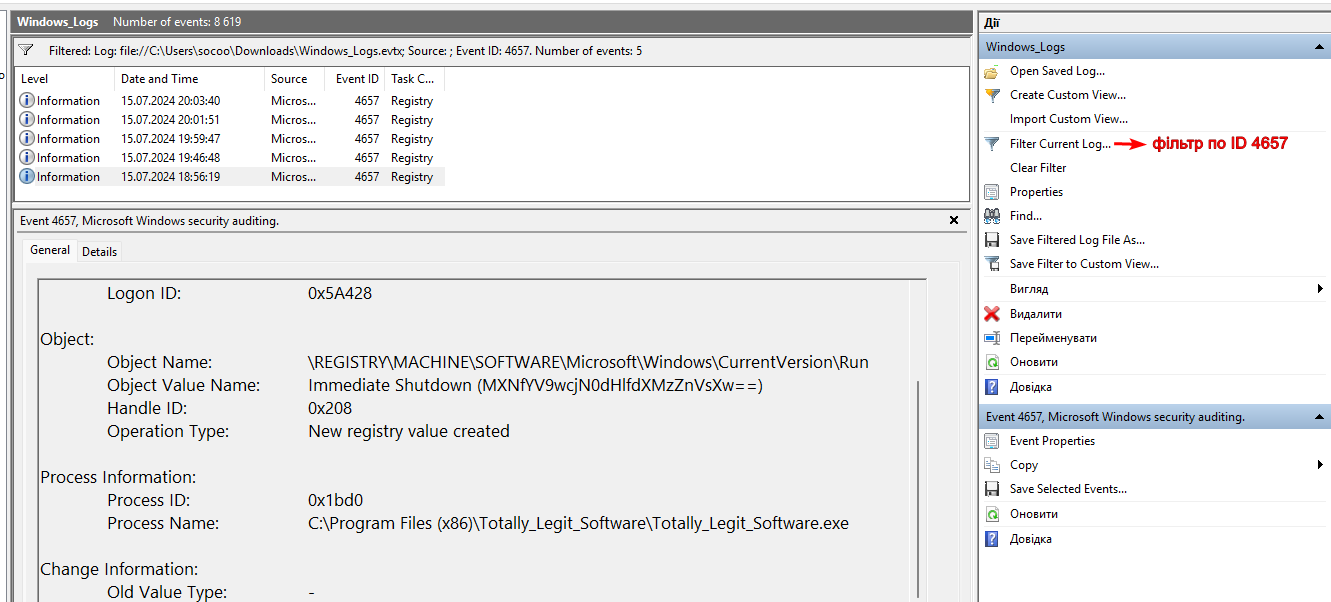
Event ID 4657: A registry value was modified.
When the employee installed and launched “Totally_Legit_Software,” the program did not perform any visible actions. Instead, it quietly:
- Modified the registry to start every time the user logs in.
- Has written the registry key a command to run (
C:\Program Files (x86)\Totally_Legit_Software\Totally_Legit_Software.exe) and, probably, another command that contained part of the flag (==).
IMPORTANT
Thus, the program did not just start, it configured itself to start during system boot. This action, “registy modify”, is what we see in the log with ID
4657.
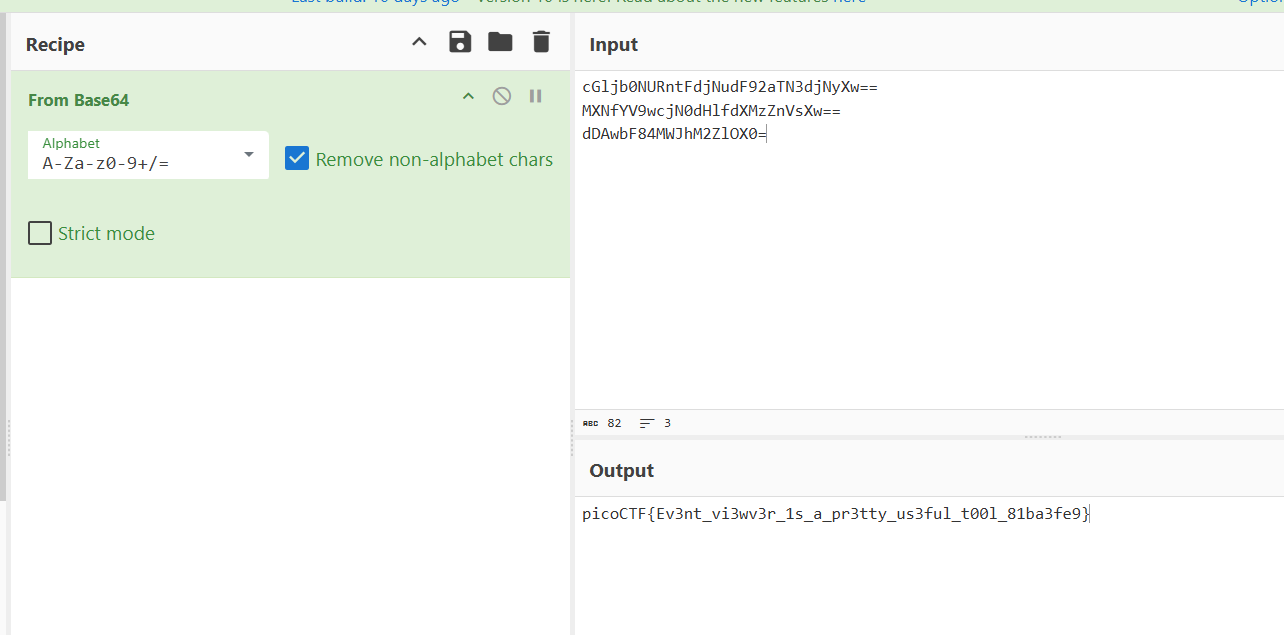
picoCTF{Ev3nt_vi3wv3r_1s_a_pr3tty_us3ful_t00l_81ba3fe9}