In this task, we examine the .img file and find a flag that is hidden in a somewhat unusual way.
I method
For this method, we will use commands from the Sleuth Kit set for Linux.
First, let’s see what sections are on the disk:
┌──(kali㉿kali)-[~/Desktop/pico/Dear_Diary]
└─$ mmls disk.flag.img
DOS Partition Table
Offset Sector: 0
Units are in 512-byte sectors

      Slot      Start        End          Length       Description
000:  Meta      0000000000   0000000000   0000000001   Primary Table (#0)
001:  -------   0000000000   0000002047   0000002048   Unallocated
002:  000:000   0000002048   0000616447   0000614400   Linux (0x83)
003:  000:001   0000616448   0001140735   0000524288   Linux Swap / Solaris x86 (0x82)
004:  000:002   0001140736   0002097151   0000956416   Linux (0x83)
In tasks of this type, the most interesting items are usually found in the /root directory. Let’s take a look at the directories on the partitions in the /root search.
For Linux (0x83) with Offset 2048:
└─$ fls -o 2048 disk.flag.img
d/d 11: lost+found
r/r 13: ldlinux.sys
r/r 14: ldlinux.c32
r/r 16: config-virt
r/r 17: vmlinuz-virt
r/r 18: initramfs-virt
l/l 19: boot
r/r 21: libutil.c32
r/r 20: extlinux.conf
r/r 22: libcom32.c32
r/r 23: mboot.c32
r/r 24: menu.c32
r/r 15: System.map-virt
r/r 25: vesamenu.c32
V/V 76913:      $OrphanFiles
And for Linux (0x83) with Offset 1140736:
└─$ fls -o 1140736 disk.flag.img
d/d 32513:      home
d/d 11: lost+found
d/d 32385:      boot
d/d 64769:      etc
d/d 32386:      proc
d/d 13: dev
d/d 32387:      tmp
d/d 14: lib
d/d 32388:      var
d/d 21: usr
d/d 32393:      bin
d/d 32395:      sbin
d/d 32539:      media
d/d 203:        mnt
d/d 32543:      opt
d/d 204:        root
d/d 32544:      run
d/d 205:        srv
d/d 32545:      sys
d/d 32530:      swap
V/V 119417:     $OrphanFiles
We see /root in the last one. We see that its inode (identifier in the file system) is 204. Let’s recursively view its contents by its inode (in case there are still directories in root that contain something):
└─$ fls -o 1140736 disk.flag.img -r 204
r/r 1837:       .ash_history
d/d 1842:       secret-secrets
+ r/r 1843:     force-wait.sh
+ r/r 1844:     innocuous-file.txt
+ r/r 1845:     its-all-in-the-name
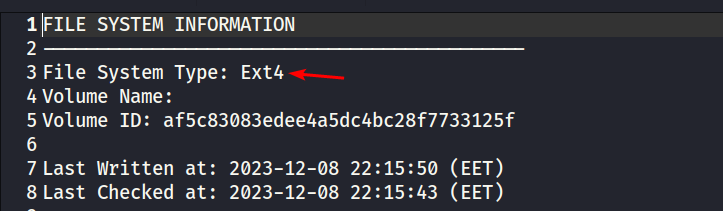
Now we need to find out the file system of the partition. I do it this way:
fsstat -o 1140736 disk.flag.img > 'disk fsstat Linux'.txt
To view the contents of the file, we will use:
icat -i raw -f ext4 -o 1140736 -r disk.flag.img 1844To download the file:
icat -o 1140736 disk.flag.img 1844 > innocuous-file.txtThe file is completely empty.
The ext4 file system has special system inodes:
inode 1: reserved (not used)
inode 2: root directory (/)           ← Readable data
inode 3: ACL index (Access Control List)
inode 4: ACL data
inode 5: boot loader
inode 6: undelete directory
inode 7: reserved
inode 8: journal inode                ← Readable data
inode 9: reserved
inode 10: reserved
Let’s see if there are any readable lines behind these inodes. Going through 1-10, I noticed:
icat -o 0001140736 disk.flag.img 8 | strings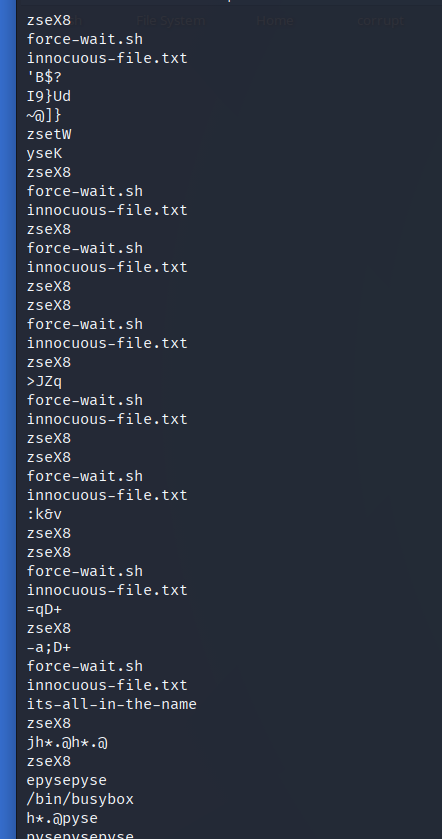
The name of the suspicious file is repeated several times.
icat -o 1140736 disk.flag.img 8 | xxd | grep '.txt' -A4 -B2Let’s break down this command:
icat -o 1140736 disk.flag.img 8— extracts raw binary data from inode 8 (ext4 file system journal). As a result, an unencoded byte stream will be output to the console.| xxd— displays these raw bytes in hex dump format. Shows offset + hex bytes + ASCII interpretation.| grep '.txt' -A4 :grep '.txt'— shows all matches with.txt-A4(—after-context=NUM) — will show 4 lines AFTER the line with the match found-B2(—before-context=NUM) — will show 2 lines BEFORE the line with the found match
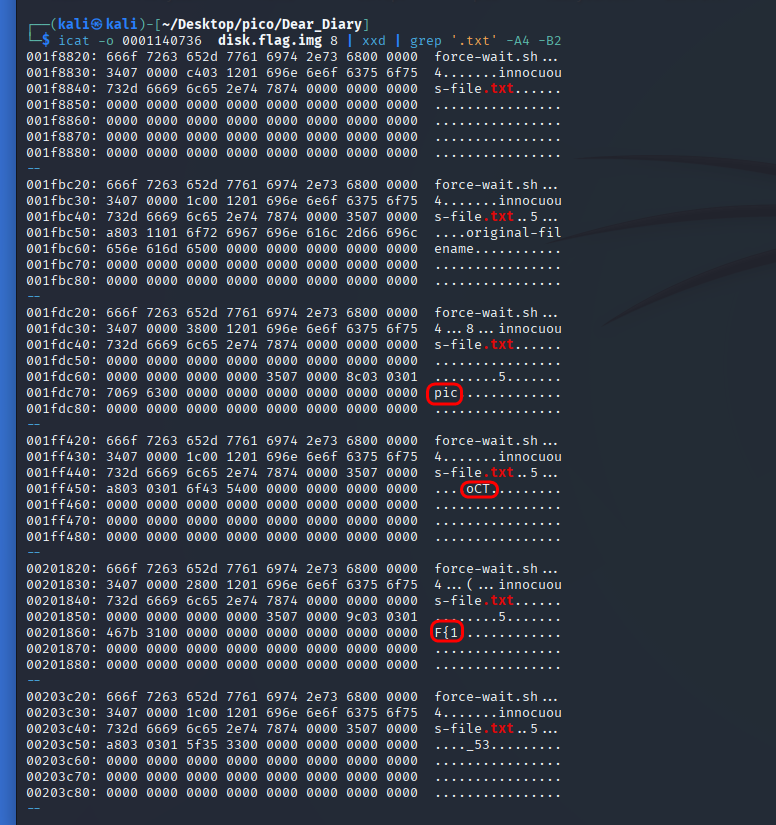
From this conclusion, we can draw a flag.
II method
The following method is simpler and involves using autopsy, both for Windows and Kali Linux (older version).
First, let’s create a new Case for Windows and view the files in the sections on the disk. We are particularly interested in the directory /root
/root contains secret-secrets with files suspiciously named innocuous-file.txt and its-all-in-the-name. But the problem is that the files are empty and none of them can be displayed in hex format.
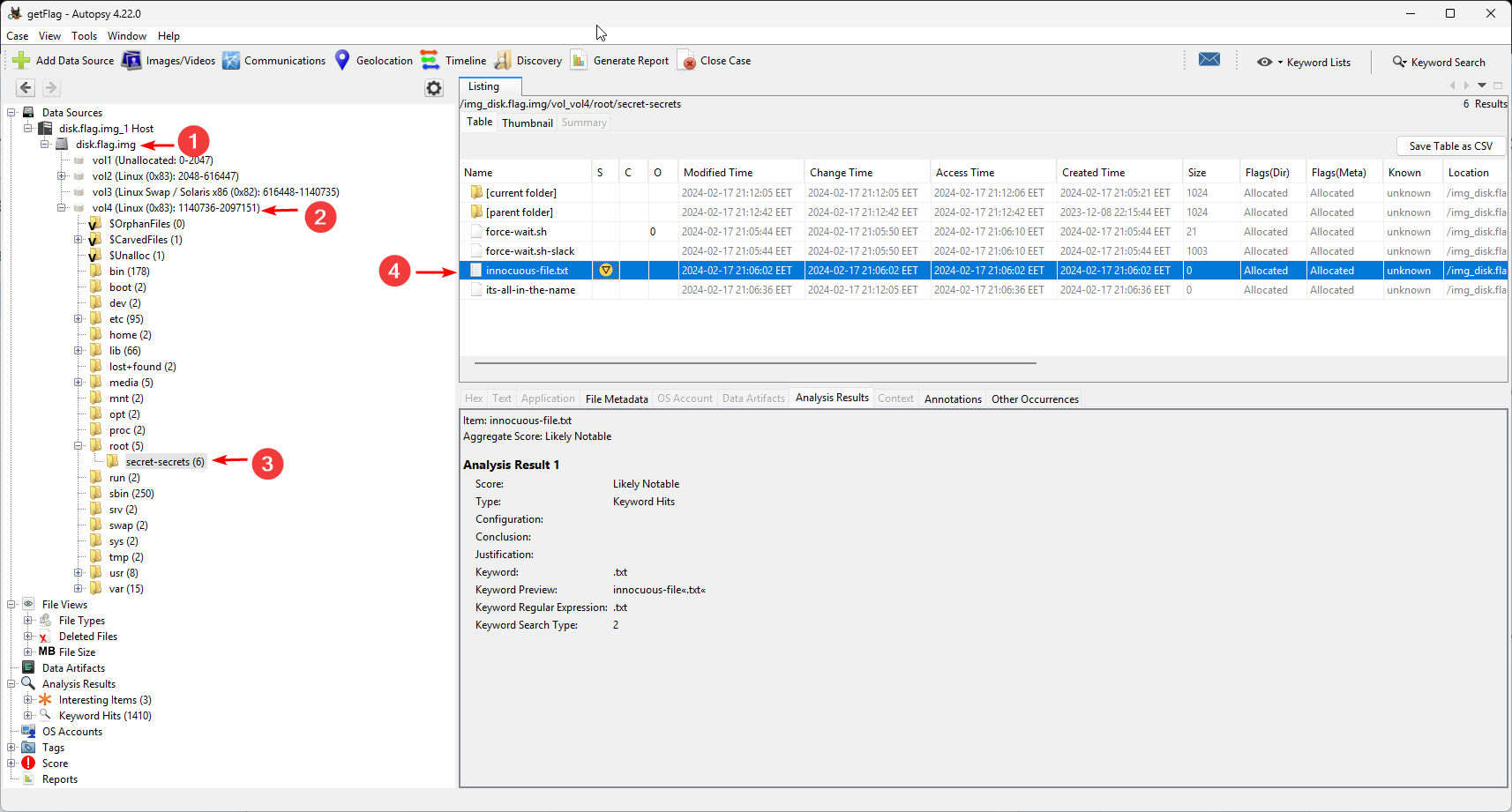
So let’s move on to autopsy on Kali Linux.
sudo autopsy
Create a new Case and specify the absolute path to .img. It is important that there are no spaces in the path. For example, in my case it is:
/home/kali/Desktop/pico/Dear_Diary/disk.flag.img
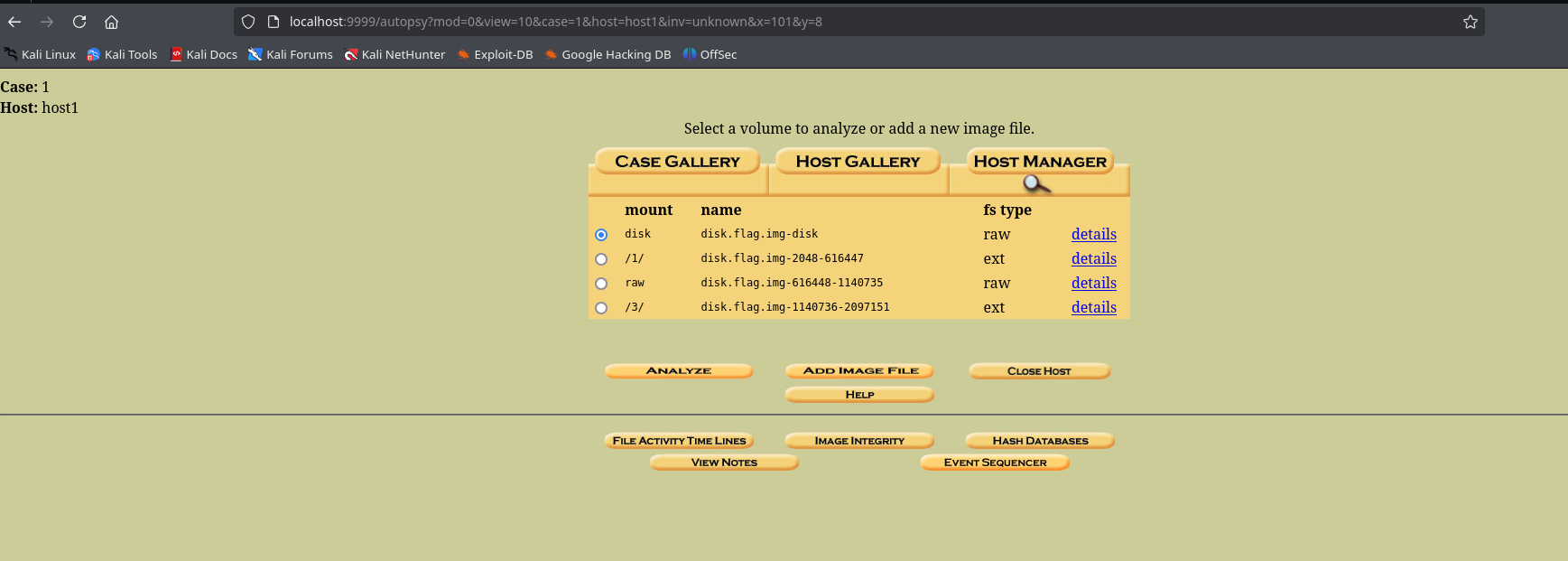
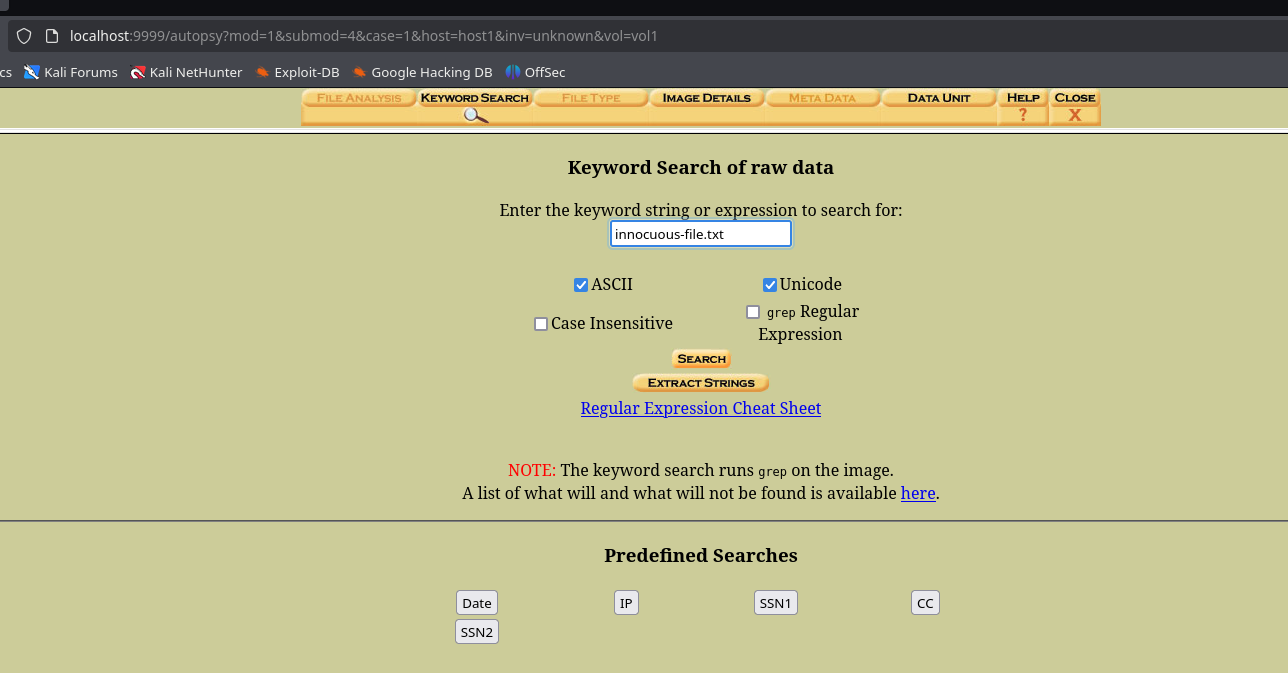
Select Analyze. Next, select Keyword Search and search for innocuous-file.txt:
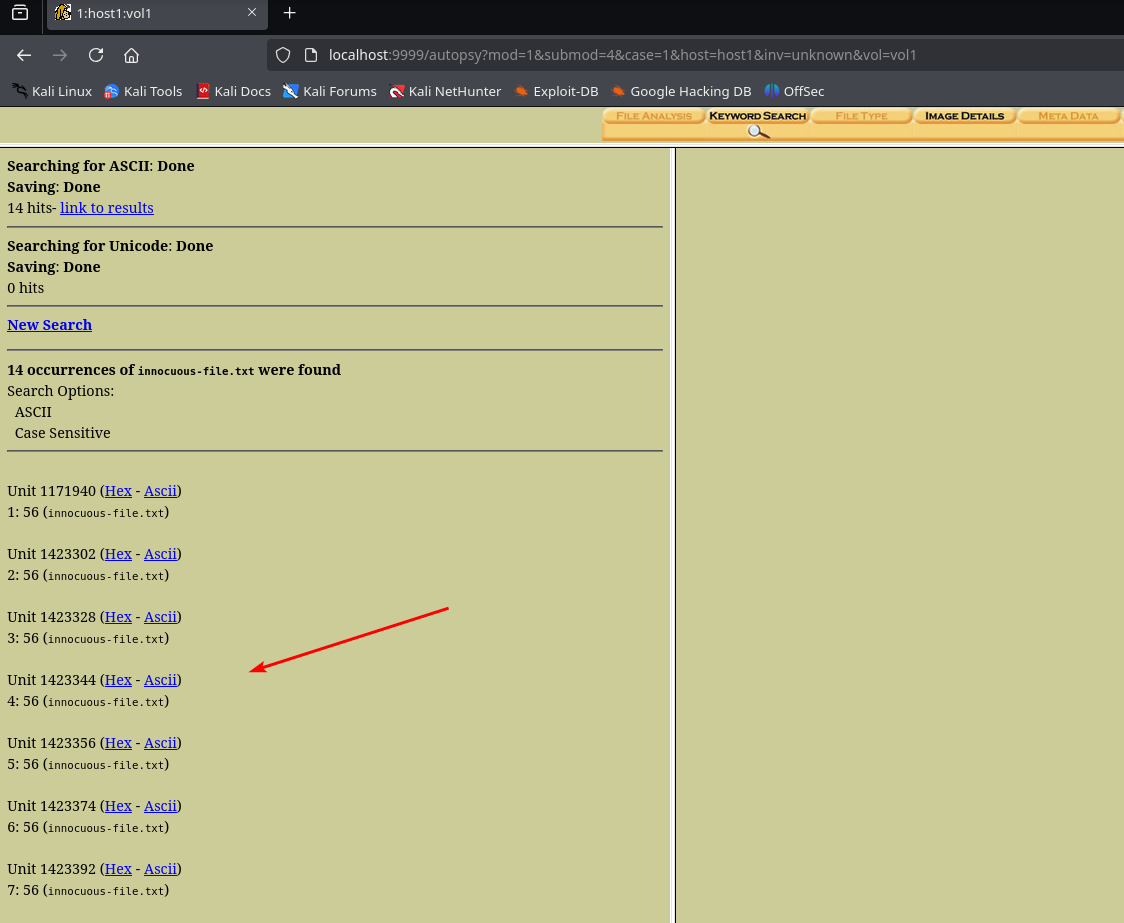
14 cases found, let’s scroll through them all.
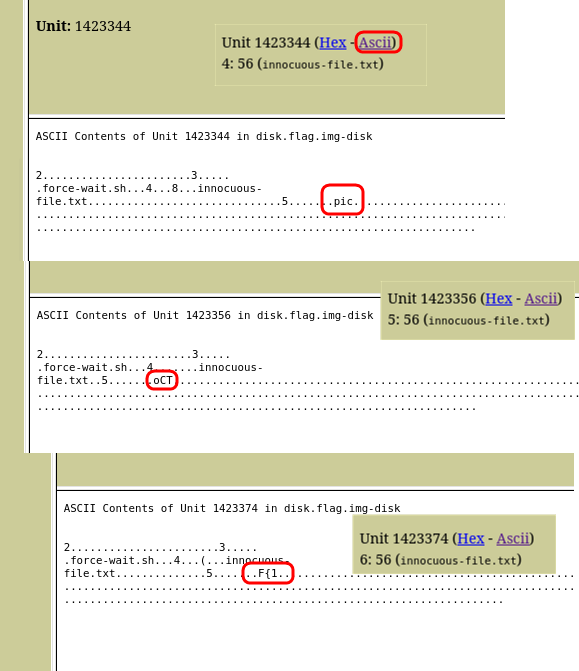
Starting with 4, we see that the flag is split across blocks in the file system. It is possible that the file innocuous-file.txt is stored in several blocks.
NOTE
Blocks are the smallest unit of space allocation for files. The file system groups sectors into larger blocks
We’ll use this command for detailed information about the volume on the disk:
┌──(kali㉿kali)-[~/Desktop/pico/Dear_Diary]
└─$ fsstat -o 1140736 -f ext4 disk.flag.img
FILE SYSTEM INFORMATION
--------------------------------------------
File System Type: Ext4
...
CONTENT INFORMATION
--------------------------------------------
Block Groups Per Flex Group: 16
Block Range: 0 - 478207
Block Size: 1024
Reserved Blocks Before Block Groups: 1
Free Blocks: 378721
...
As we can see, the size of one block is 1024 bytes.
Find out the size of the sector:
┌──(kali㉿kali)-[~/Desktop/pico/Dear_Diary]
└─$ fdisk -l disk.flag.img
Disk disk.flag.img: 1 GiB, 1073741824 bytes, 2097152 sectors
Units: sectors of 1 * 512 = 512 bytes
Sector size (logical/physical): 512 bytes / 512 bytes
I/O size (minimum/optimal): 512 bytes / 512 bytes
...
disk.flag.img:
┌───────────────────────────────────────────────────────┐
│ MBR │ Partition 1 │ Partition 2 │ ... │ Partition 4 │
└───────────────────────────────────────────────────────┘
↑
vol4 (Linux ext4)
↓
┌───────────────────────────────────────────────────────┐
│ Block 0 │ Block 1 │ ... │ Block 1423344 │Block 1423345│
└───────────────────────────────────────────────────────┘
↑
Contains "pic"
Now we need to collect all the pieces of the flag by units.
III method
After finding the directory with the files in Autopsy, we will upload the entire disk.flag.img file to HxD on Windows:
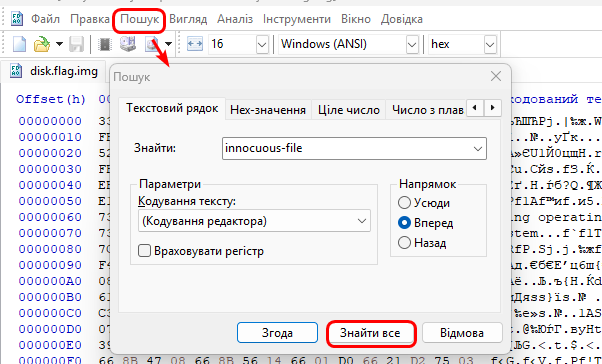
We see 14 matches, as found by autopsy on Kali Linux. And starting with 4, pieces of the flag appear:
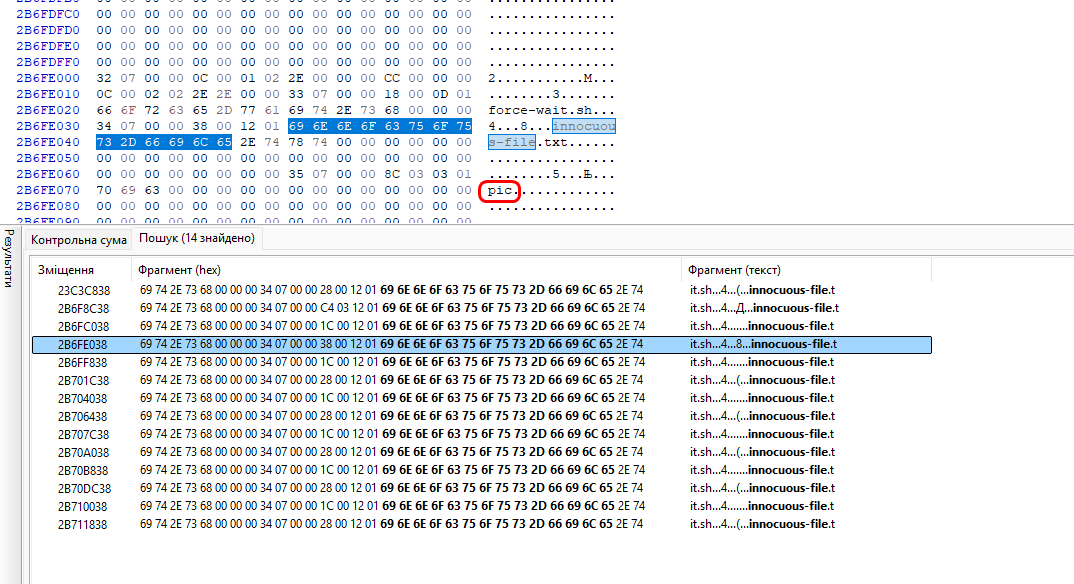
picoCTF{1_533_n4m35_80d24b30}