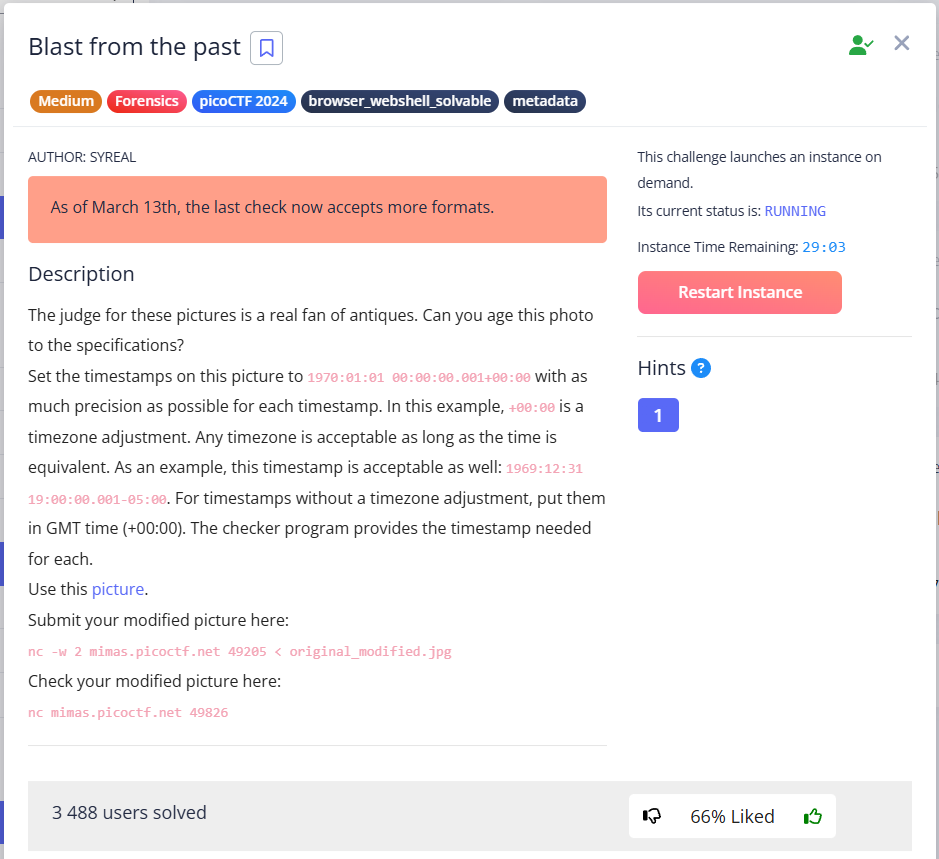
The hint in the task prompted me to look for some tools other than exiftool for modifying metadata.
jexiftoolgui
After searching for tools with a GUI, I found jExifToolGUI. (GitHub README | Releases)
sudo dpkg -i jexiftoolgui-2.0.2.debCopy the task file and open for modification:
jexiftoolgui original_modified.jpg I tried all the options on this list:
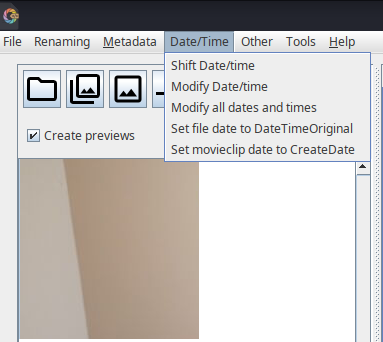 | 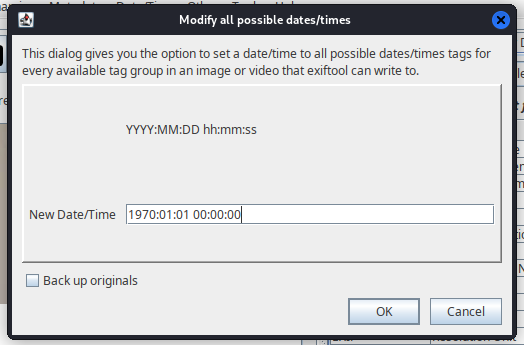 |
Let’s try sending:
nc -w 2 mimas.picoctf.net 60913 < original_modified.jpg
nc mimas.picoctf.net 51523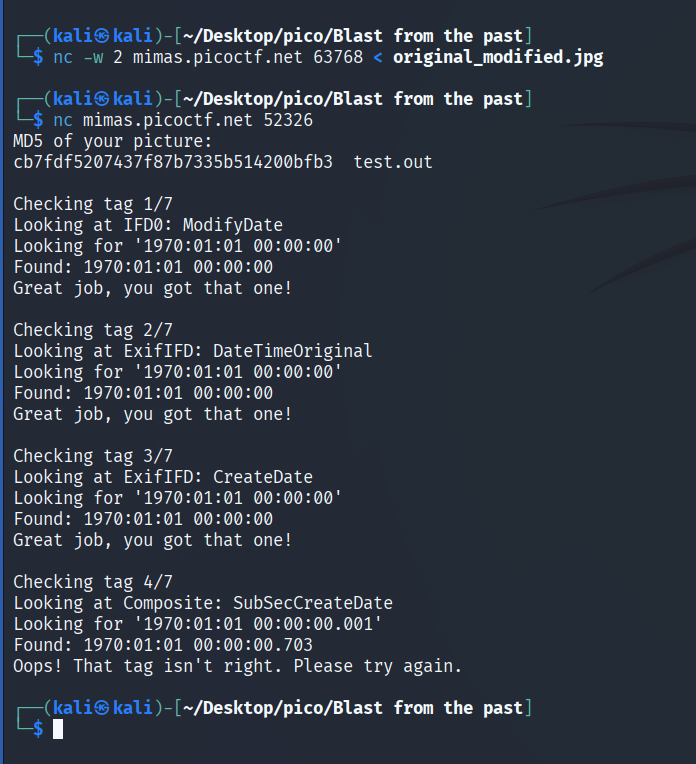
4 more tags are missing modifications. Searching in jExifToolGUI for those that have not been changed:
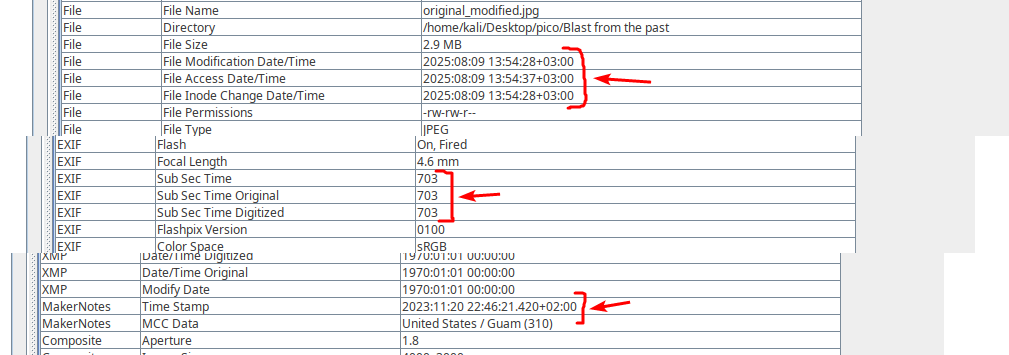
and those who has been overwritten:
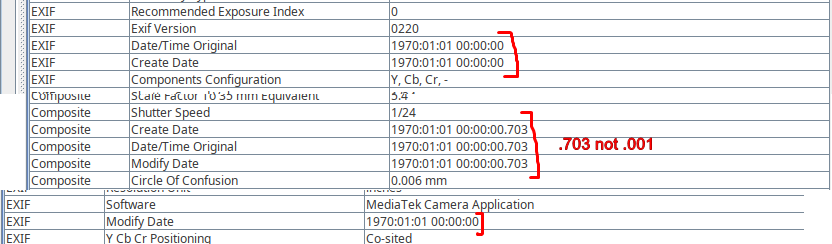
tried command:
exiftool -AllDates="1970:01:01 00:00:00.001" original_modified.jpgBut server that checks the tags returns the same 3/7.
According to the task, the time must be: 1970:01:01 00:00:00.001+00:00, where .001 – milliseconds, so in addition to time tags, Sub Sec Time* tags are needed to be modified.
In total, 7 tags need to be configured:
✅ IFD0: ModifyDate - done
✅ ExifIFD: DateTimeOriginal - done
✅ ExifIFD: CreateDate - done
❌ Composite: SubSecCreateDate - requires milliseconds .001
❌ 3 other tags (need to find out which ones)
exiftool
First, let’s look at all the dates in the file:
exiftool -time:all -a -G0:1 -s original_modified.jpg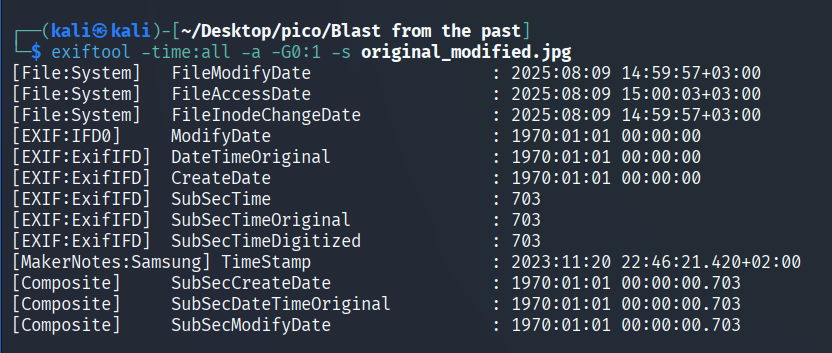
Add milliseconds to Sub Sec Time* tags:
exiftool -SubSecTime="001" original_modified.jpg
exiftool -SubSecTimeOriginal="001" original_modified.jpg
exiftool -SubSecTimeDigitized="001" original_modified.jpg
Let’s look at the changes:
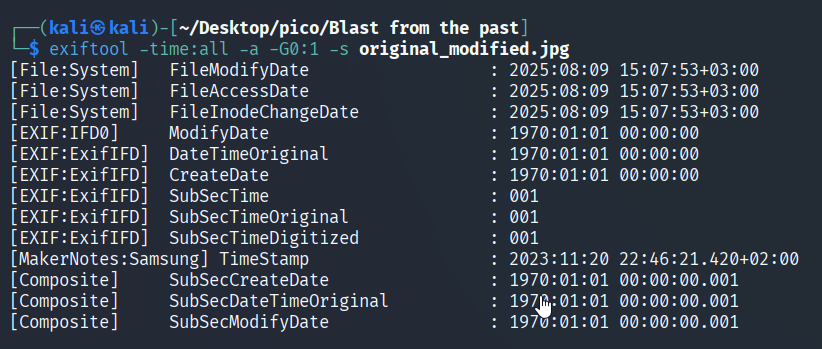
Sending to server:
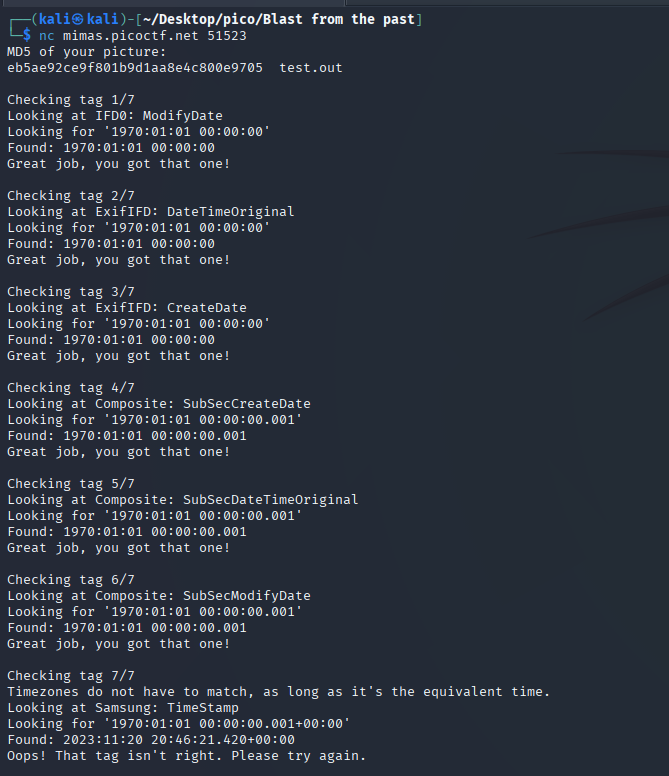
Only 1 tag remains: Samsung: TimeStamp. This is a specific tag for Samsung phone cameras.
Let’s find out which Samsung-specific tags are in the file.:
exiftool -Samsung:all -s original_modified.jpg

Let’s try to overwrite this tag in two ways:
I method
exiftool -Samsung:TimeStamp="1970:01:01 00:00:00.001+00:00" original_modified.jpgII method
exiftool -overwrite_original \
    -Samsung:TimeStamp="1970:01:01 00:00:00.001+00:00" \
    original_modified.jpg
III method
exiftool -MakerNotes:TimeStamp="1970:01:01 00:00:00.001+00:00" -s original_modified.jpg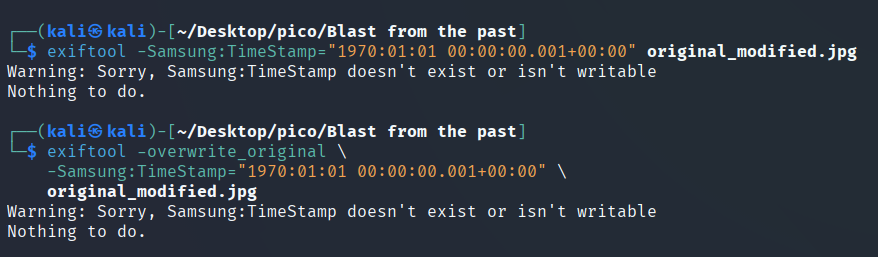
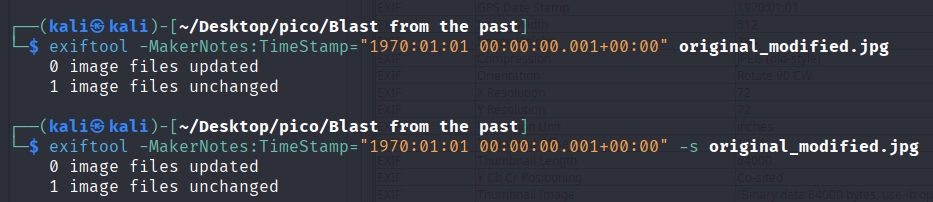
But to no avail.
I pocked aroung and discovered, that we need to use strings to look at the timestamp in milliseconds that have passed since January 1, 1970. At the very end of the file, we find:
strings original_modified.jpg > strings_original_modified.txt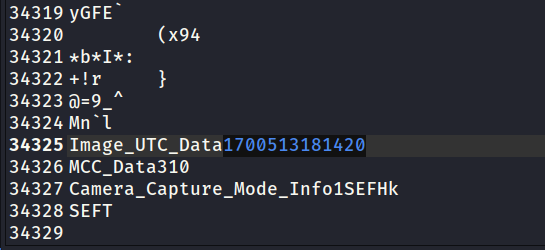
Time Calc
Let’s use the online tool Time Calculator:
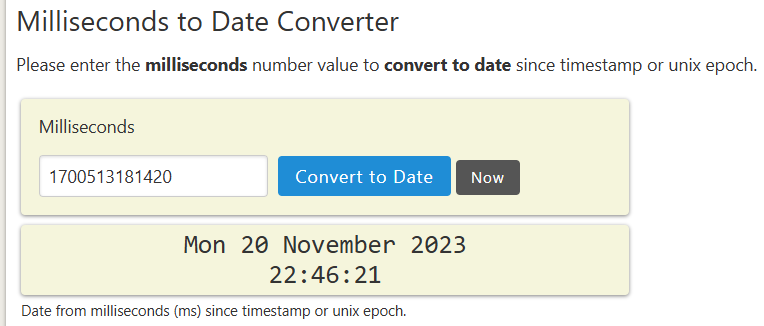
NOTE
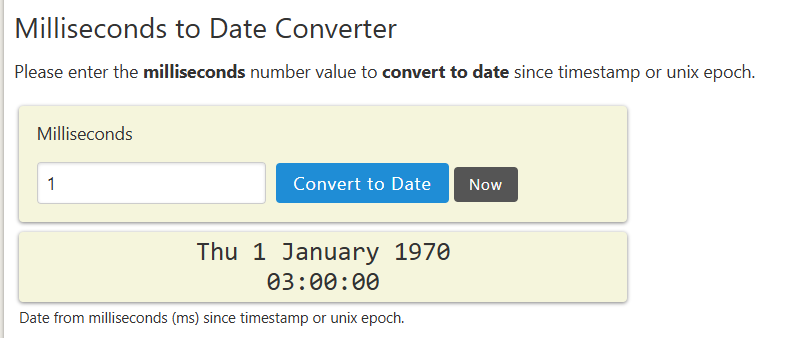
Timestamp - time in seconds/milliseconds that has elapsed since January 1, 1970.
Date 1970:01:01 00:00:00.001+00:00 means, that since the start of the count 1 millisecond has passed. So:
ghex
Since this Samsung/MakerNotes tag is not writable, let’s change the bytes in ghex:
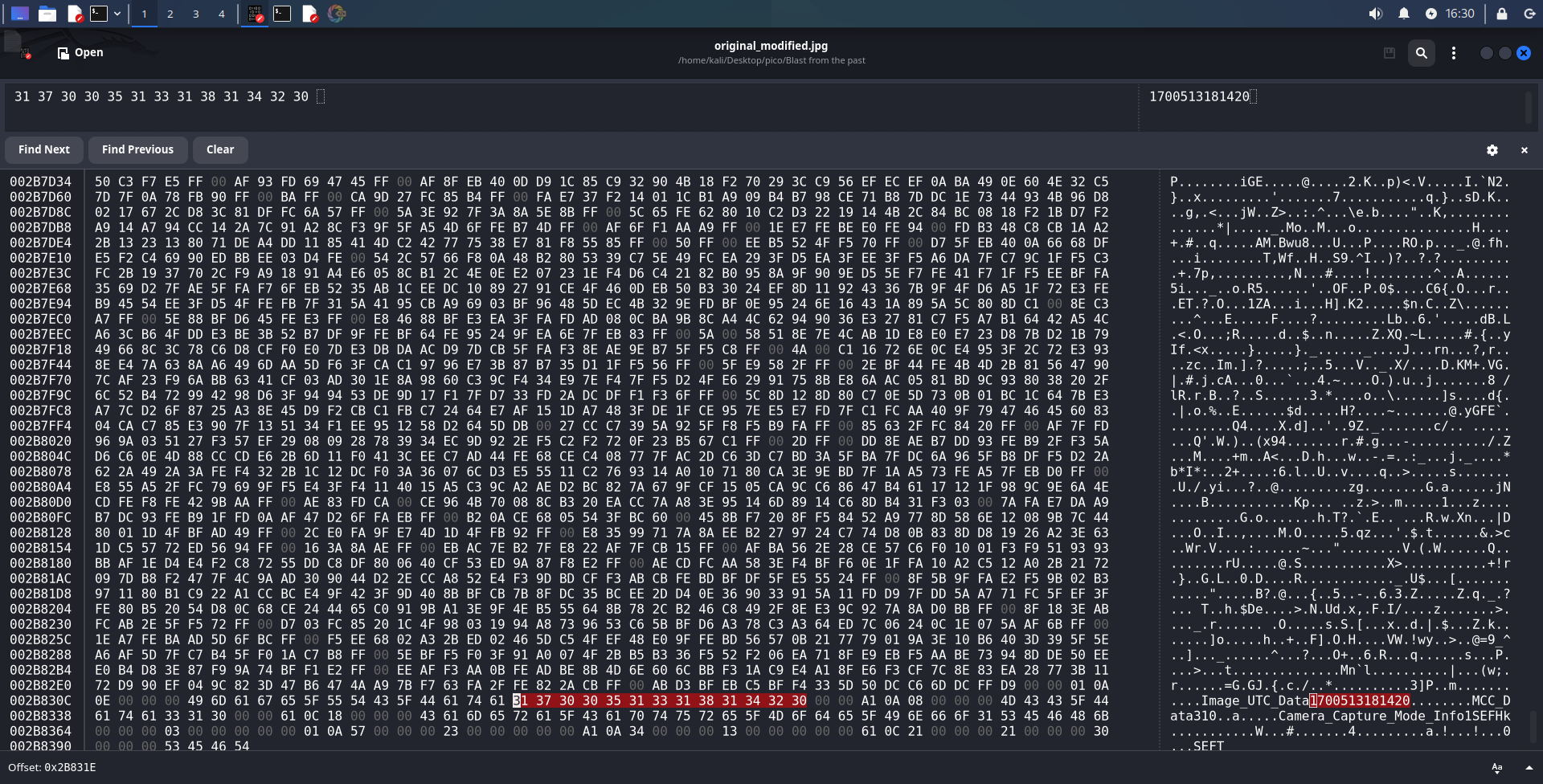
This is what we need to change to 00001 (probably 1 would work too).:

Save and send:
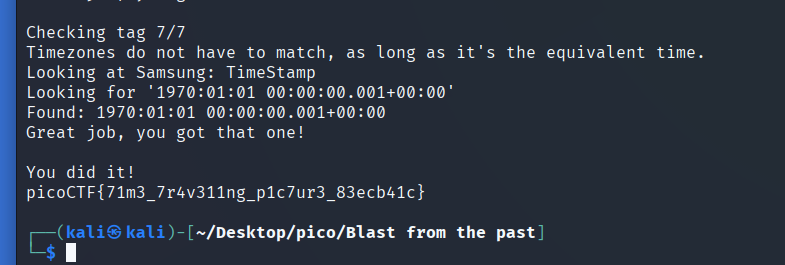
picoCTF{71m3_7r4v311ng_p1c7ur3_83ecb41c}